A website is the face of your business. Users click on the link they find in Google, they briefly scan the homepage, and if it already gets confusing at this point they leave and go to someone who doesn’t waste their time. So you must know to Create a Website and Set Up Basic SEO.
A study from 2022 from Frontiers in Psychology showed that a website’s quality has a direct connection with how satisfied the customers are with a service. It’s true for big corporations with big budgets and for small businesses. Even a small company can have a clean and fast website. It helps with building trust, prestige and SEO.
AI search agents rely on structured content that loads in fast and doesn’t have errors. So, if you don’t have a website at all, or it loads too slowly, you’re invisible to Google, AI overviews, and other agents.
A website is another business asset which gets you more revenue. A carefully optimized website can bring you more traffic than paid ads. If, of course, you know what to do. That’s what this article will help you with.
Create a Website and Set Up Basic SEO
Domain Registration
Registering a domain is the first step you should take before browsing website builders and other instruments like WordPress.
It’s better if your domain is the same as the name of your business — it will make it more recognizable. If your business name isn’t too original, aim for something short and easy to remember.
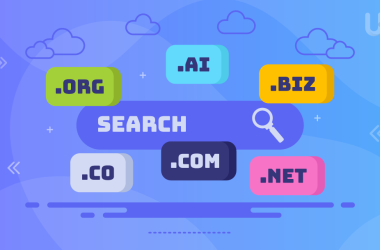
If the budget allows, register a .com. But if your business is local and you don’t plan to scale anytime soon, a ccTLD (country code domain like .ae, .uk, .cn) can also work well or even better. Mature users trust domains that look familiar, so keep it in mind.
Not sure which hosting plan is right for you?
Explore UltaHost’s full range of plans, built for speed, security, and real growth.
One big disadvantage of .com domains is their price and accessibility. Around 45% of all domains are .com, so being original isn’t very easy. Good generalist alternatives to .com are .net, .me, .co, .online. The choice will depend on your audience and niche. There are even thematic TLDs like .cafe, .restaurant, .tech, .travel, etc.
How to Plan a Website
AI works with the information you provide, so having a plan in mind will save you time and nerves later. Your website has a main purpose to get you more clients – don’t get distracted from it.
But besides direct customer acquisition, a website can have other goals, such as selling products as an online store, spreading educational and marketing materials, accepting reservations, and building an online brand (by the way, that’s why a lot of corporate websites have blogs).
Decide on what the goals of your website will be and write them down. If you’re struggling — take a peek at your competitors. You can find websites of similar businesses and see what their websites do. Take notes on the structure, menus, colour selection, size of buttons. Even if you’re not a web designer at all, you can get an overall idea of what looks good and what doesn’t.
You can go as far as copying structure, it’s not stealing as long as you adapt ideas you borrow. In fact, there are more businesses than you think who do that.
Another lifehack is not only to look at websites themselves, but also on what users online think about them. Negative reviews are very valuable in this case you can really learn a lot from others’ mistakes. People complain more often than praising something they liked, and negative reviews are more honest.
We’ll Create a Website and Set Up Basic SEO as an example for a made-up business so this guide is easier to follow. Our business is going to be a travel agency called “Golden tours”, UAE. Our website will need a blog, a contact form, and a page dedicated to tours.
How to Write a Prompt
The quality of AI output depends on the model, newer is better, but also on your prompt. A good prompt is detailed and explains what your goal is.
A prompt we came up with for “Golden Tours” looks something like this:
“I want a website for my travel agency in the UAE. We organize tours to Europe, South-East Asia, North and South America, help clients choose destinations for their vacations considering their budget, and preferences. We also share tips and guides from our own travel experience in our blog. The website should have a menu with available countries, hot tours, popular tour ideas, a blog, an About Us page, and a Contact Us page. Use light colors and a world map in the background.”
When you write, you understand better what you want. In the end, you’ll get a more accurate result.
Important note. Don’t write in a prompt an essay about your company’s history and philosophy. Save it for an “About Us” page. When a prompt is huge and overwhelming, even a robot can get confused. Don’t make too generic and short requests like “Make me a pretty website” — AI will come up with something run-of-the-mill instead of a unique design.
AI Website Generation
Some website builders give their users a list of questions (Squarespace, Wix Studio), some work with prompt windows, similar to ChatGPT or CoPilot. In AI website builders like Site.pro, Wix Harmony and Hostinger you paste your input prompt directly as it is. For this guide, we’ll use Site.pro as an example.
After you enter your prompt, the AI creates a website design with placeholder content. Website builders are mobile-friendly by default, and you won’t have to set up your website for different screens.
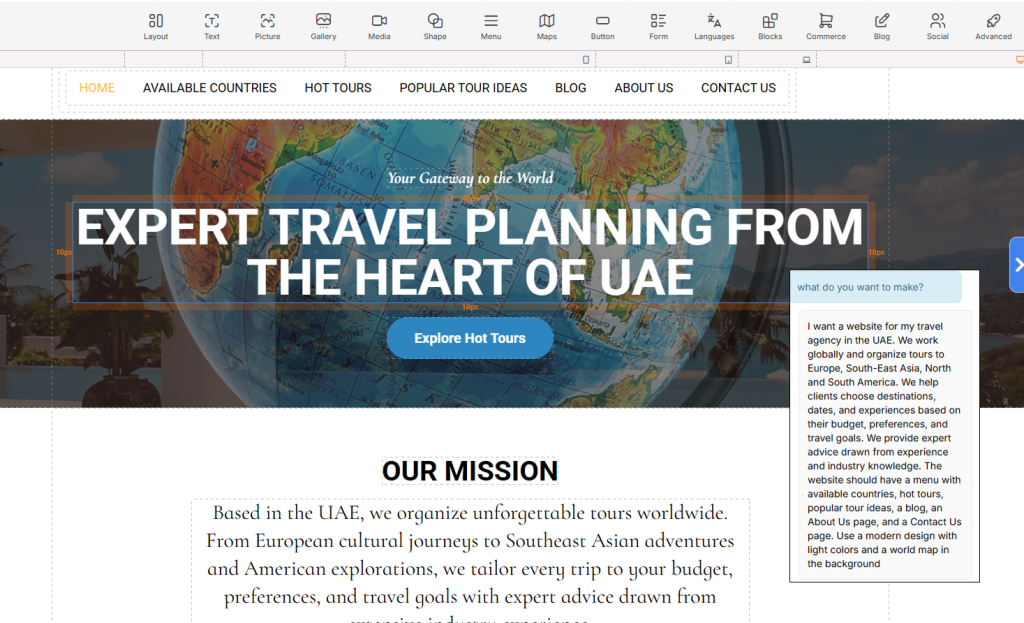
AI chatbot understands the structure and content of your site and will act as your web design assistant.
You can edit blocks manually, or you can give instructions to AI. For example, you can ask to change the palette of the website to green or add a “Contact us” button on the top of the home page.
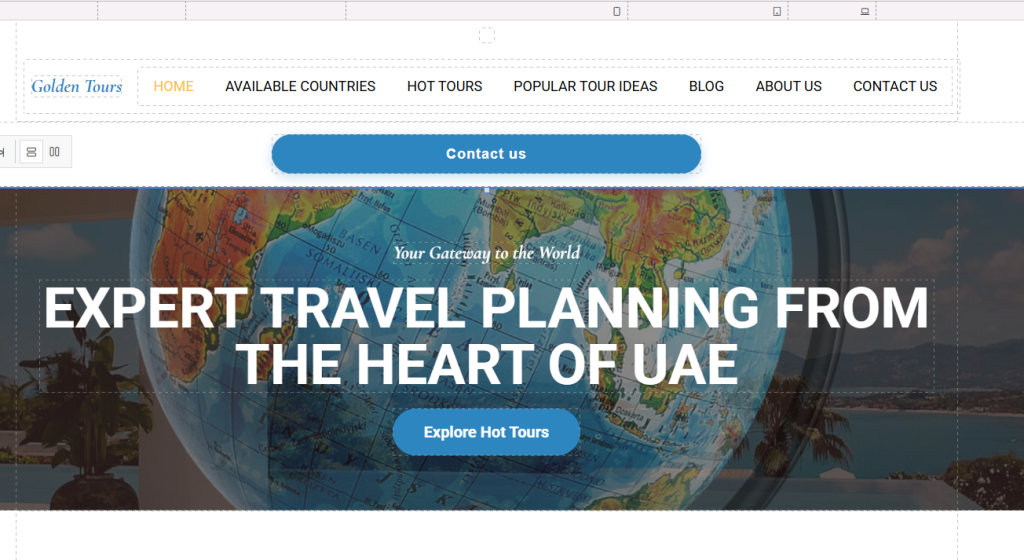
The main thing here is to be specific. Edit with AI sections that will take too long to do on your own.
Shortening a heading is faster to do manually. But if you want to try another color palette, you can ask AI to change across the website all at one. Same for images — it is faster to upload a picture yourself, but making a placeholder gallery is way more convenient with AI.
Use original content where possible. You can really hurt your brand with AI-generated images if you use them instead of real photos of your product.
SEO Settings
SEO settings help search engines and AI assistants crawl your website and put it into the right categories. You can do by create a website and basic SEO set up without special programs by adding meta information, alt text and compressing media files.
First are meta titles and descriptions. They are shown in search results under a link address.
In Site.pro, you’ll find meta information setting fields in “Pages”. You can click on the “AI” button to generate meta information automatically.
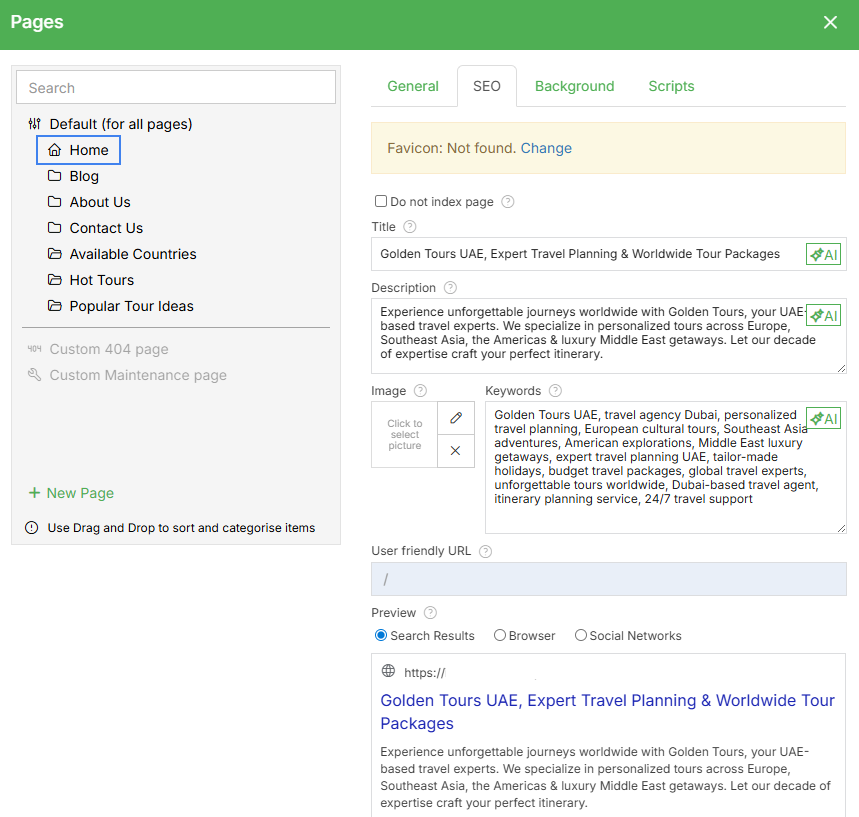
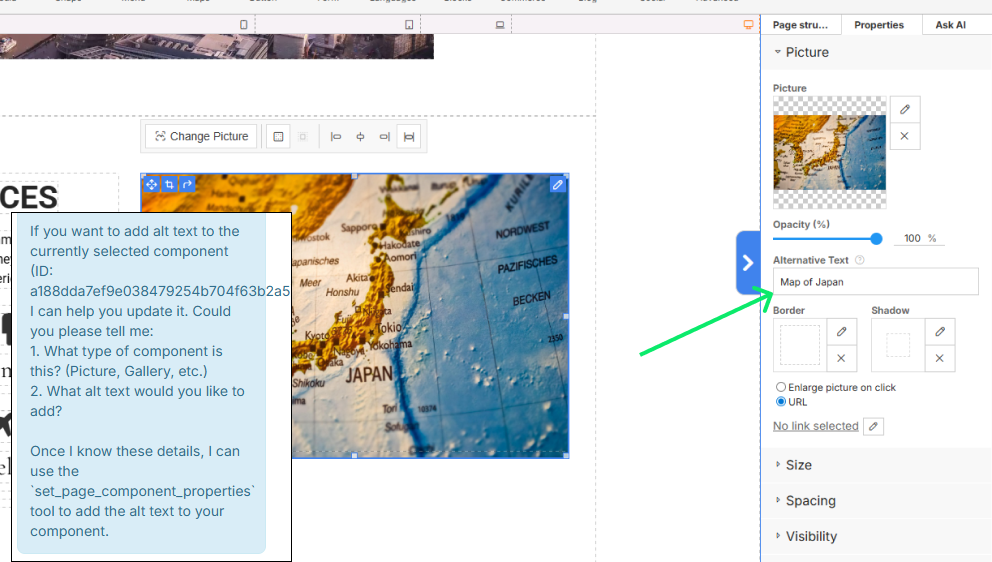
Second, add alternative text to your images. Alternative text describes the image. It is used as an accessibility feature, and it also allows search engine bots to scan the content on your website much faster. Search engines favor websites that have alt texts more than those that don’t.
Enhance Your SEO Strategy with the Right Tools!
Are you making the most of your primary links in SEO? Combine your strategy with UltaHost’s SEO VPS to improve your website’s performance and ranking. With lightning-fast speeds and strong security, your SEO efforts will achieve the results you desire.
To add alternative text, click on an image as shown on the screenshot below. You’ll see an “Alternative text” field — that’s where you write it. Alt text is supposed to be short, 1-2 sentences is enough. It ideally shouldn’t repeat your textual content
Important note: if there is a text on your image, always transcribe it in the alt text.
Next — compress media files. Large images slow down your website load time — slow websites quickly lose customers. Compress images (less than 1MB is the best), use WebP format, and upload videos through hosting platforms so you don’t have to keep files on your servers.
Publication
Go through your website on desktop and mobile before you publish. Check buttons (they must lead to the right pages) and send a couple of test contact forms (you must receive them on the email you input). If you’re making an online shop — make a test order.
Check that images don’t look distorted. If it’s your first website, get feedback from real people. A fresh look will notice mistakes you didn’t see at first.
After that you’re good to go. That’s enough information to Create a Website and Set Up Basic SEO. Later you can scale it as you like, connect Google Analytics or SEO programs (Ahrefs, Semrush).