



The small lock icon that appears before some URLs indicates that Transport Layer Security (TLS) is active. TLS is a protection system that gives you peace of mind since no one can see, steal, or modify the data you are sharing with your customers and vice versa.
Introduction
TLS is a modern protocol for protecting user data in transit. Protecting user data while transferring over the internet is especially important to prevent third parties from getting access to such data; however, it is not the only thing TLS is related to. TLS protects data in real time when logging into a user account, submitting a form, or completing a purchase. TLS is the system that is used to protect the underlying data, and without it, logging into a user dashboard or providing sensitive data to a client would not be secure.
Even today, there are still websites that don’t use a secure protocol. This clearly hurts their credibility and even their relationship with users in an instant. TLS is a security requirement and a trust indicator essential for site owners, online stores, and any other type of website.
We will help you understand what TLS is, what it does, and why it matters, and how to keep your website secure with an appropriate hosting environment.
Key Takeaways
- TLS protects information transferred from a user’s browser to your server from being read or altered by outside parties.
- Users recognize it by the padlock or ‘https’ shown on their browser screen.
- Websites rely on TLS 1.2 or TLS 1.3, and valid digital certificates from trusted certificate authorities.
- Older versions like TLS 1.0 and 1.1 are outdated and are no longer supported by modern browsers, and may result in blocked pages or warning notifications.
- A properly set up TLS protects your users, boosts your SEO, supports your compliance efforts, and overall protects your platforms. This includes WordPress, e-stores, SaaS dashboards, and CRMs.
TLS Explained in Simple Terms
Transport Layer Security is a standard network protocol designed to provide confidentiality, integrity, and authentication while data is being transferred. You can think of it as an opaque, tamper-evident envelope that protects online messages between a browser and a server.
Secure Your Website
Protect data in transit with TLS encryption and modern security standards for safer website communication.
TLS is positioned between the application layer and the transport layer:
- Below it is the transport layer (like TCP), which is responsible for transporting the data.
- Above it are applications like HTTP (web), SMTP (send mail), IMAP (retrieve mail), VoIP, APIs, and messaging applications.
TLS ensures that information remains unreadable and unalterable during data transfer after a secure handshake.
To everyday users, TLS appears as HTTPS, the padlock icon, and the “https://” prefix in the address bar. But TLS is not just for your web browser. The technology secures emails, file transfers, phone calls, and machine-to-machine communication.
How TLS Works – The Handshake and Encryption

A TLS connection is established through a short, structured exchange called a handshake. This happens silently every time a person visits a secure website.
Here’s the simplified process.
Client Hello:
The user’s browser identifies itself to the server and lists the TLS versions and cipher suites it supports.
Server Hello:
The server selects the most secure settings and sends back a certificate to prove its identity. The CAs provide these certificates so that browsers can tell they are communicating with the relevant site.
Key Exchange:
Both sides securely generate shared session keys. The attackers cannot see or reconstruct what happens in this way.
Secure Channel:
Once the handshake is complete, all messages will be encrypted with fast symmetric encryption to ensure confidentiality and to prevent tampering and integrity compromises.
Modern TLS (especially TLS 1.3) simplifies the whole thing. It lowers the number of handshake steps, disables obsolete algorithms, and enhances speed and security.
A simple real-world example:
A user adds their card info to a store. Then:
- The browser and server do the TLS handshake.
- Create new encrypted session keys.
- The coded link ensures that a user’s card information does not get leaked to a hacker or middleman.
Your website stays fast. Plus, your users stay protected. The trust remains solid, and users stay protected without noticing the process.
Transport Layer Security is a standard network protocol designed to provide confidentiality, integrity, and authentication while data is being transferred. You can think of it as an opaque, tamper-evident envelope that protects online messages between a browser and a server.Transport Layer Security is a standard network protocol designed to provide confidentiality, integrity, and authentication while data is being transferred. You can think of it as an opaque, tamper-evident envelope that protects online messages between a browser and a server.
Modern SSL/TLS Hosting
Use hosting built with up-to-date TLS protocols to prevent data leaks and ensure compliance.
TLS Versions and Why Upgrades Matter
TLS has evolved over time, dropping unsafe old rules and improving security and performance all the time. Understanding which versions to use and which ones to avoid can help ensure your site is safe and up to date for the modern web.
Quick History
Prior to TLS, there were SSL 2.0 and 3.0, which had major risks. These ancient rules have not been followed for a long time. (NSA, 2021).
TLS had many posts:
TLS 1.0: In 1999
TLS 1.1: In 2006
TLS 1.2: In 2008
TLS 1.3: In 2018
Each version improved security and speed.
What’s deprecated today
- In 2020, web browsers and large web properties removed support for TLS 1.0 and TLS 1.1 to lessen the need for older sites. A warning may be shown in your browser, or it may block such sites.
- According to security groups like the NSA, users should use only TLS 1.2 or 1.3 and not the very old versions of TLS or SSL.
- The most recent update from NIST (2025) asks all federal systems to embrace TLS 1.3, but it is still possible to retain TLS 1.2 in order to use other apps and older tools.
Version Guide
| Category | Versions | Status | Notes |
| Unsafe & Deprecated | SSL 2.0, SSL 3.0, TLS 1.0, TLS 1.1 | Do Not Use | Insecure; blocked in modern browsers |
| Recommended | TLS 1.2, TLS 1.3 | Use | Current global standards for secure communication |
Practical advice
- Ensure that your entire website and application have TLS 1.0 and 1.1 disabled.
- Allows legacy plugins, themes, or links on your site to still work.
- It would be beneficial if you could use the more modern TLS 1.3, as it allows better speed and security.
It’s not just for keeping a site safe from hacking attacks or such evil deeds, but also keeps the site speed high, avoids any warning pages in the browser, and keeps sensitive info safe for both users and search engines.
Why TLS Matters for Businesses and Users
Using TLS technology is not just a tech issue. In fact, it has effects on how much your users and clients trust you and buy from you. It might also affect how well your site performs long-term. Whether you sell goods online or create websites to offer your customers, TLS is the essential security that you require.
Confidentiality
TLS safeguards your most sensitive data. However, it does require various details such as login information, card information, and more. Without it, criminals can easily access your information during transfer. (Internet Society, 2024).
Integrity
TLS prevents your data from being altered while being sent. If anyone attempts to alter what you send from your side or your site, TLS notices and stops a connection.
Authentication
Digital certificates help confirm that you’re visiting the right site and not a phony one that tries to trick you into sharing your information or doing bad stuff. (GitGuardian, 2025).
Trust
People see the lock symbol on your site. As a result, they expect you to use HTTPS. If your customers feel unsafe, they will leave before completing your forms.
Security
Many safety and privacy policies state that all transferred data should be secure. TLS can enable your site to do so quite effortlessly to meet their needs. Learn more about website security.
SEO Advantage
Search engines prefer sites that they view as “safe.” Many browsers will mark a page that is not using HTTPS as “risky,” so TLS helps your page show up in search and not cause warning pages to appear.
Practical examples
Companies: It keeps customers’ websites secure.
Freelance jobs: It keeps booking forms, profiles, and time slots safe.
Small stores: It keeps card payment info and personal details safe.
TLS is one simple step that can change a lot for the consumer and for the firms that supply them.
Mini Summary
| Title | Meaning |
| SSL | Previous Version. |
| TLS | Modern Version. |
| Certificate | Digital ID. |
| HTTPS | Secure version. |
TLS Limitations and Misconceptions
TLS should be used, but it does not mean it will do magic. In this section, we discuss common misconceptions and limitations, and explain why you should view it as a mature, well-engineered website.
Myth #1: “TLS keeps website info secure.”
Fact: TLS only secures the data as it moves from the server to the device. It does not hide your database, backup copies etc. You will need other tricks.
Myth #2:” If my site has HTTPS, then no malware is there.”
Fact: HTTPS only keeps your communication secure; it does not scan your site for vulnerabilities or phishing scams. Any harmful site can use HTTPS.
Myth #3: “TLS takes the place of my other safe things.”
Fact: TLS is just one coat of paint. You will need to keep your coding safe, your buckling strong to keep out with limits, firewalls, and updates.
Myth #4: “When you get TLS, it will never mess up.”
Fact: There are many things that can go wrong, no matter how good your TLS is. For example, a mixed-content mess or a cert that expires, and you lose your audience. Your site can break their trust, and your customers might leave. That’s why you must use a hosting provider that is there for you in case things go wrong.
Myth #5: “It is fine to use self-made certs on a page that many will see.”
Fact: Certs from yourself get big holes in the browser’s armor. You can use them for tests, but not for sites that you want to sell stuff on.
How to Implement TLS on Your Website – A Simple Checklist
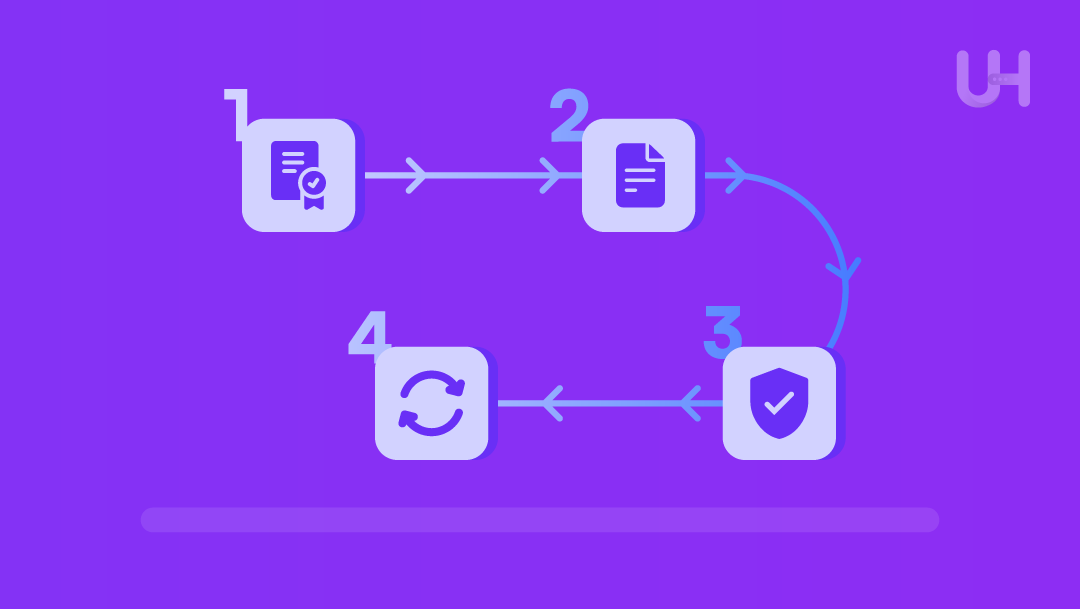
A practical guide you can use over and over for all the people who own websites, freelancers, agencies, or big companies.
Step 1: Choose the Right Certificate Type
First, you need your digital badge to show to the world when you turn on HTTPS. Here is an easy way to pick:
Domain Validation: This is best for blogs, pages for your work, and small-business websites because it is quick and widely supported.
Organization Validation: This is good for business identity verification, established companies, and schools.
Extended Validation: The highest level of identity assurance, suitable for online stores and enterprises.
Most hosts give you certificates that are easy to handle and do not require you to buy any extra skills to keep your site safe. Here is a must-read on How to get an SSL TLS certificate?
Step 2: Generate CSR and Install the Certificate
This how-to list will help you from start to end:
- Make a CSR on your host, type in your name, and it will show more info on your site and your source code.
- Submit the CSR to your Certificate Authority (CA), or you can use your host to do this automatically for you.
- Scan the name and show who owns it. Do it by email, or ask your host the best way to do this.
- Get back your certificate; most of the time, it will have intermediate certs.
- Plug in your certificate on your host’s dashboard to the server.
- Go online and test HTTPS, see if it is safe, and the lock shows up in the browser, and no warnings show up.
Step 3: Configure TLS Settings Securely
Once your cert is there, do the right thing for your site:
- Make sure you turn on TLS 1.2 and TLS 1.3
- Ignore SSL 2.0, SSL 3.0.TLS 1.0-1.1 following the NSA guidelines.
- Use your new safe keys that work now and give you good forward support to keep you safe for the long run.
- Enable automatic HTTP → HTTPS redirects for all traffic.
- Fix mixed content issues.
Questions readers can ask their hosting provider:
- Ask which TLS version is on my plan?
- Do you have TLS 1.3?
- Does it auto-redirect to HTTPS?
Step 4: Maintain, Monitor, and Renew
TLS is safe, but do not just install it and forget it.
- Do automated renewals or set up your reminder well before it expires.
- Try TLS scans often on free sites to get an A/A+ grade.
- Look at your warning in your browser or the new rules in the press.
- Look at your TLS settings if you grow or work with one sensitive site.
Remember that TLS is just part of what you do as part of work on your site, just like back-ups, updates, and new plugins.
TLS for Common Hosting Use Cases
TLS is not just a checkbox; it can help any site or online thing you do. Here is how it helps common hosts.
E-commerce and Online Payments
- TLS is key if you take money or use sensitive details, or submit any types of forms.
- If you do not use HTTPS, your checkout page will show warnings and scare away people.
- TLS and a good credit card processor help you reduce fraud and returns.
- Many card lenders now need HTTPS on every page that has a card number, no matter where people check out.
Pro Tip: Make sure your whole site has TLS, not just your checkout, to keep people trusting it and never get mixed content warnings.
WordPress and Content-Driven Sites
- WordPress login and admin pages contain sensitive keys and names and should be encrypted.
- First, enable HTTPS on /wp-admin and the login page, then enable it across the whole site to secure your WordPress site with TLS.
- Themes or plugins that load parts over HTTP can cause mixed content warnings, so update them or stop using them.
WordPress Checklist:
- Force all admin pages to HTTPS.
- Update all plugins and templates to HTTPS versions.
- Turn all HTTP pages into HTTPS ones.
CRMs, Client Portals, and SaaS
- TLS is required to protect users’ data on CRM systems or browser-based login pages.
- Services talking to back-end servers or apps can also use TLS; some business-to-business networks use mutual TLS for extra proof (GitGuardian 2025).
- API security keeps people’s details safe in CRM and when using browser portals.
Pro Tip: Watch out for that info both on the front end and in your api talks and connections; they should both be TLS, and don’t get caught up in tech talk.
Remote Access, Email, and Admin Panels
- TLS matters for webmail, control panels, remote dashboards, and all web-based admin modes.
- Accessing these from normal HTTP on hotel wifi or from a coffee shop or airport is risky and can give away your login name and password.
Scenario: Imagine you work from a coffee shop. Without TLS, your login info and other details can be snapped up. Having HTTPS makes sure those details stay safe even on public networks.
How UltaHost Helps with TLS and Secure Hosting
UltaHost makes TLS easy and gives your business’s site safety and your mind peace, no matter where you are or how you run your site. Choosing the right hosting for secure websites is one of the crucial steps.
Flexible hosting options: Shared hosting, VPS/VDS, WordPress hosting, Windows, macOS, and cloud hosting are all ready to run fast and securely.
Built-in security and uptime: free DDoS protection, daily backups, and a 99.9% uptime guarantee help keep your data secure and the site available.
Help anytime: live chat and tickets help you to put in certs, fix issues, turn on HTTPS, or update your TLS version.
No hassle: We offer a free migration service so you get TLS and other safety features with no downtime or errors.
WordPress and E-Commerce friendly: finance websites, membership websites, e-commerce, and CRMs all run fast and safely on HTTPS with little setup.
Made for SMBs: Transparent cost and a refund policy cut the risk of no money up front, and you get the best security features for your site.
Key Result: You worry less, and your customers worry less because your site is secure with the latest TLS best practices for small businesses.
FAQs
What is TLS in simple words?
TLS, or Transport Layer Security, is a code that makes data hard to read or change while it gets moved to and from your browser and a website. It keeps passwords, messages, and payment info safe.
Is TLS the same as SSL?
SSL was the first ever, but it has its own security bugs, so SSL is not the right thing to use today. When you see ‘SSL’ used today, it always means ‘TLS’ because the browser and server use it.
Which TLS version should my website use?
Use TLS 1.2 and 1.3, the best and safest ones that the NSA says should be used (NSA, 2021).
Turn off all old TLS versions (1.0 and 1.1) if you can, because browsers do not support them and will issue warnings or prevent you from using them (Brillium, 2020; but see VMblog, 2021).
How can I tell if a website uses TLS?
Check whether the URL contains ‘https’ and shows a lock icon in the browser address bar. Click the lock icon to verify that the security is good and the certificate is valid.
Does TLS slow websites down?
Modern TLS only adds a bit of time to the time it takes to load a site. If you have an up-to-date system and do not put big files on your site or use Nets or caches, you will not see any speed loss. Sometimes your site will get faster than normal.
Is TLS enough to secure my website?
TLS is very good, but it is only one layer of the security network; you need many. You need strong passwords, keep your software up to date, use the right apps, have a backup plan, prevent DDoS attacks, and review the code you deploy.
Do I need a special certificate for an online store?
A security certificate is sufficient for now, but if you can add more certificates, please do. The more you have, the more secure your site is for your visitors.
Who is responsible for TLS – my developer, my host, or me?
TLS is a shared thing :
You are the owner; you enable the cert, keep it up to date, and fix anything that goes wrong.
Your host gives you the space you need and helps with your Certificates.
Your developer ensures the app is set up correctly.


