



Want to build ML models, AI-powered features, or data tools, but have limited funds for hardware? VPS Hosting is AI-ready with affordable, flexible, and scalable infrastructure to jumpstart your work.
Thanks to AI VPS, development is more streamlined than ever. AI-ready VPS Hosting is lightweight and scalable to fit your ever-changing needs. You can stop investing in expensive GPUs and start managing complex tasks, and your server will do all the heavy lifting.
Small teams and solo developers often face the challenge of building tools in text and voice automation, chatbots, data analytics, prediction models, and ML algorithms. These developers don’t have the time or budget to manage dedicated infrastructure. AI-ready VPS Hosting scales RAM, adds GPUs, or high-spec CPUs to provide rapid NVMe storage and enterprise-level compute power without the heavy entry cost.
Key Takeaways
- AI-ready VPS hosting combines low-cost web hosting and low-cost hardware, making it easy for small teams to gain access to extremely powerful compute resources.
- For light data processing, small model working, and other early-stage tasks, a VPS CPU is a good starting point.
- A GPU VPS is more suited for deep learning and large datasets, real-time inferences, and other workloads where frequent training cycles are needed.
- VPS offers great scalability. You can start with a small instance, monitor your usage, and only upgrade your CPU, GPU, RAM, and storage when necessary.
- You can use VPS sustainably for different workloads, be it chatbots, recommendation systems, analytics, ML APIs, or even complex batch-processing tools.
VPS Hosting – What It Means, and Why It’s a Good Fit for Small Teams
You can think of it like a rented virtual cloud workstation – a dedicated space, guaranteed CPU, RAM, and storage, and a customized OS completely isolated from other users. Unlike shared hosts, where hundreds of people fight for the same resources and offer predictable performance, a VPS offers root access and the ability to customize tools to better fit your projects, from ML libraries and tools to the AI projects you’re working on.
For freelancers, small agencies, and early-stage startups, this level of control is vital. Shared hosting simply can’t manage Python environments, GPU libraries, microservices, or AI workloads. VPS Hosting removes those limits, offering a flexible environment where hosting, testing, and deploying anything from APIs to lightweight machine-learning models is possible.
At the same time, a VPS Hosting sidesteps the high costs and technical overhead of dedicated servers. There’s no extra hardware to manage, upfront capital to spend, or long-term compute needs to predict. Resources are only paid for when they are used, and when projects grow, scaling CPUs, RAM, or storage becomes possible with only a few mouse clicks.
For small and medium-sized businesses, freelancers, and fast-moving teams, a VPS Hosting plan hits the sweet spot when it comes to managing costs, control, and performance. Enough resources are provided for workloads to be handled while expanding architecture becomes possible without securing enterprise-level hosting.
Why AI / ML Workloads Need More Than Basic Hosting
AI and machine learning workloads demand powers beyond traditional web hosting due to the tasks being completed. Consider model training and large-scale inference, as well as heavy data processing. All of these rely on great amounts of computation, memory usage, and disk I/O constantly. These are conditions that a standard shared hosting or even a basic VPS cannot handle. These environments are sufficient when it comes to hosting websites, but when it comes to anything AI-related, they become unstable and slow.
One of the major reasons for this is the type of processing that AI demands. Machine learning operations are more efficient when there is a great deal of parallel computing taking place, which is one of the reasons why GPUs have so much value. Think of a single CPU as a single cashier working a line, whereas a GPU is a supermarket working with tons of cashiers, which is why it is able to finish tasks that require neural network training and large amounts of data so quickly. CPU-only models can handle light inference from small models, but when it comes to scaling, more complex workloads, and even more complex models, that is where the bottleneck comes from.
Run AI on the Cloud
Launch AI workloads on VPS hosting without investing in expensive local hardware or complex infrastructure.
Finally, storage and memory are big components as well. ML workflows require frequent loading of datasets, checkpointing, and moving large files, so weak disks can choke the entire process. NVMe SSDs and sufficient RAM are required for smooth data flow and rapid cycle training. This is also why most modern VPS providers offer high-RAM NVMe storage and even GPU-ready plans, enabling small teams to run AI workloads reliably and efficiently without heavy hardware investments.
When AI VPS Makes Sense (Startups, Freelancers, and Small Businesses)
An AI-ready VPS fits well when building chatbots, recommendation engines, analytics tools, etc, or when building custom ML models and inference APIs, and more reliability and control are needed over what can be offered by Shared Hosting. It gives small teams the flexibility to deploy their own frameworks, automate the data pipeline, and run 24/7 AI features without the hassle of physical hardware management.
To be cost-effective, most early-stage projects can begin with a tier, CPU-based VPS, as it is more economical and it is also sufficient for running small-scale inference, prototyping, and processing datasets, or fine-tuning lightweight models. This way, a small startup, for example, can validate their idea affordably when testing an image tagging tool or sentiment analysis feature before more costly upgrades are required.
Once workloads such as deep learning tasks, extensive datasets, and frequent training cycles, or real-time inference become tasks that grow as to require deep learning, a deep learning GPU-enabled VPS is worthwhile. Because cloud VPS/GPU hosting accommodates a pay-as-you-go system, it allows for scaling upwards in a situation where it is needed, allowing small teams that seek to start a lean system to have a VPS and then grow the VPS as required. This also allows teams to operate without purchasing hardware with high upfront costs.
What to Look For When Choosing an AI-Ready VPS Plan
To guide your decision, here is a checklist to assess any plan before committing:
1. Compute Power (CPU vs GPU)

Consider what your workload demands: CPU-only or GPU-accelerated?
- A GPU VPS is suitable for tasks involving deep learning, large datasets, frequent model training, and high-volume inference. Look for a VPS with a good quality GPU; the NVIDIA A100, V100, and T4 are good options, and also look for high GPU memory to improve performance.
- For lighter tasks such as basic inference, prototyping, or data prep, a CPU-based VPS would suffice. Here, the number of cores and threads is important as they can improve training and processing speed.
2. RAM & Storage
Given the AI workflow’s propensity to use large datasets and generate many checkpoints, memory and storage are important considerations.
- You should choose a plan with sufficient RAM to accommodate your datasets and model; swapping should not be necessary.
- For speed, choose SSD or NVMe storage; NVMe can greatly enhance the speed at which training and data flow.
- Finally, ensure that there is enough storage for datasets, logs, models, backups, and any other additional components.
3. Scalability & Flexibility
AI workloads can be unpredictable. Selecting a plan that offers the ability to quickly scale up or down is important.
- To switch to a different CPU, GPU, RAM, or storage without system downtime, the system must be in an active upgrade state.
- UltaHost offers on-demand scaling to handle unpredictable usage patterns, ensuring you can always handle extra traffic.
4. Software & OS Freedom
Customization installation for the personal workflow needs to be provided.
- Remote or SSH access allows for full system control.
- Adding the most popular ML frameworks, such as PyTorch, TensorFlow, and JAX, is essential.
- For GPU plans, the system must be installed with CUDA, cuDNN, and NVIDIA drivers.
- Implementing the most popular Linux distributions available: most commonly Ubuntu.
5. Cost & Billing Model
According to the plans, a balance is needed as GPU (Graphics Processing Units) servers cost more.
- Computational training jobs on infrequently used servers will be more cost-efficient if billed hourly.
- For continuous processing of APIs or ongoing tasks, monthly billing will be more cost-efficient.
- Consider usage: will you be training daily, will you be 24/7 available for serving models, will you have running spikes on the system during client projects?
6. Uptime, Backups, Security & Support
For customer-facing AI tools or internal business systems, system reliability is necessary.
- Research systems claims & reports on both uptime, automated backups, and DDoS protection.
- If delivering services to clients or running production activities, have responsive support.
Common Use-Cases for AI VPS in Small Teams & Startups
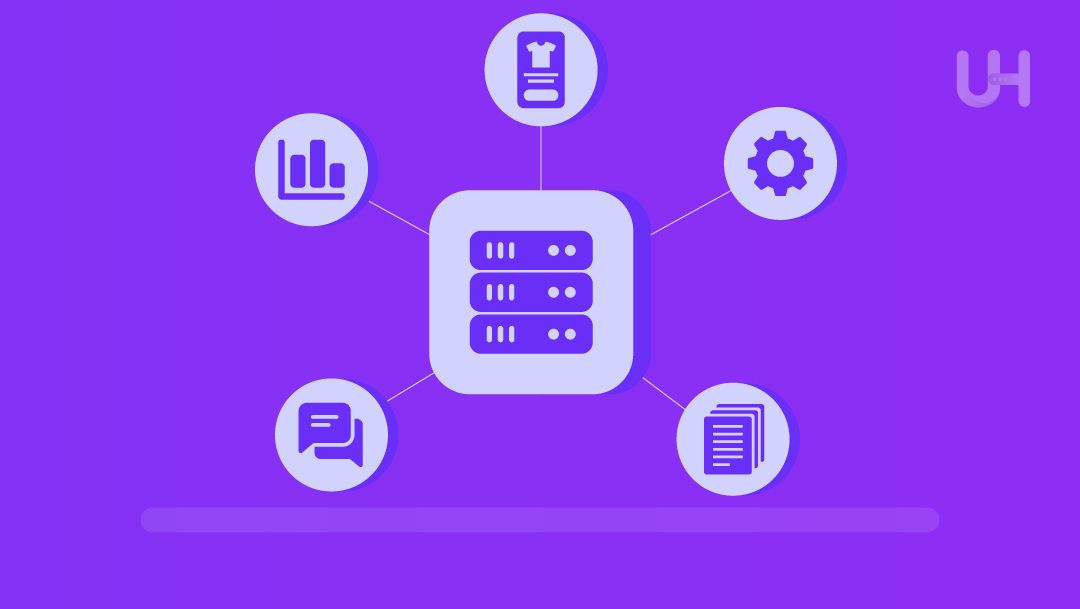
It is now possible for freelancers and small teams to handle real AI workloads with the availability of AI VPS Speech Hosting without the budget of large enterprises. You can deploy service features that would have previously required costly hardware with dedicated compute, a flexible environment, and easy scalability.
One of the most popular cases is the use of AI VPS for chatbots and automated conversations, whether for customer assistance, lead qualification, or automation of internal processes. AI VPS is also employed by small e-commerce companies to facilitate personalized product recommendation engines that boost conversion rates without the help of costly third-party APIs. Organizations also use AI VPS for analytics and forecasting to predict sales, churn, or user behavioral patterns.
For technical teams, AI VPS is excellent for moderate to light training of models. This includes, but is not limited to, custom classifiers and fine-tuning of NLP models, and running of data-processing pipelines. It is also ideal for real-time use in SaaS dashboards, mobile applications, and websites powered by AI for moderate workloads. For workloads that have no need for constant uptime, a VPS can handle batch-processing tasks such as automated enrichment, content moderation, dataset cleaning, and image tagging. The modern VPS systems allow small teams to access such use cases.
AI-Ready VPS Plans
Get scalable VPS resources optimized for machine learning, automation, and data processing tasks.
When AI VPS Might Be Overkill or a Risk – Common Pitfalls
Even if AI VPS is powerful, it is not always the best option – and spending too much can empty financials or bring unnecessary complications. The most common mistake is overprovisioning, and getting a GPU-enabled VPS for workloads that hardly ever need GPU acceleration. Because of the cost of GPUs, paying for unneeded compute can be an expensive habit.
Another issue is the complexity of software. Not all diamond GPU VPS plans are really just plug-and-play. Some need the manual installation of drivers, CUDA, cuDNN, and all the same dependencies, and if support is limited on the provider, this can become a major time waste for small teams that do not have DevOps expertise. Even with powerful hardware, performance can still choke if you miscalculate the storage or bandwidth requirements. Large datasets, frequent checkpoints, and high I/O workloads require NVMe storage that is quick and has enough network throughput.
Final Thoughts
Startups, freelancers, and small teams have access to inexpensive means to construct and implement AI functions thanks to AI VPS hosting, and do not need to buy costly computers. When a well-configured VPS is performing real-time inference, executing data pipelines, or prototyping models, you have the flexibility, control, and scalability to adjust to your evolving needs. Lean is the way to go, ensuring that your resources and workload are perfectly aligned before increasing the resources to match your increased workload. If done properly, AI VPS hosting can provide a solid and inexpensive base for delivering advanced AI functions.
FAQs
Do I always need a GPU VPS to run AI/ML workloads?
No. CPU VPSs can handle several tasks, including small models and light inference during preprocessing. A GPU is necessary only when models or datasets are large and specific performance criteria must be met.
As a freelancer or small startup on a tight budget, is an AI VPS worth it?
Yes, especially when delivering AI tasks or features to clients. With a VPS, you can avoid purchasing new hardware and start small, then easily scale as your workload grows.
Can I scale up or down easily with VPS hosting?
Yes, most customers can adapt to changes because most VPS hosting providers allow you to add additional CPU, RAM, storage, etc., without long-term contracts or commitments, leading to customer satisfaction over the long term.
What AI projects are practical on a VPS for small teams?
Small to medium ML models, real-time inference APIs, chatbots, recommendation engines, and analytics all perform well on an appropriately configured VPS and are ready for customers looking to do AI.
What are the risks or downsides of using a VPS for AI workloads?
Slightly high potential cost, complexity of the projects, potential limits of storage or bandwidth, and the protection against cyber attacks that end customers will need to implement. But the most common risks of a VPS for AI workloads are increased customer demand and overprovisioning.


