



Self-hosting AI models is considered Private AI Hosting, which is the opposite of using public AI servers. Although security, privacy, and long-term costs make a strong case for Private AI hosting, recruiting, training, and managing a team to run and scale (with the required on-site security) can create significant headwinds.
To improve Private AI hosting deployment, there must be a clear view of the activities involved in developing, operating, and maintaining the infrastructure.
Self-hosted AI is a growing business trend as the cost of public APIs has markedly increased, privacy and compliance to security models have become more paramount, and the offered self-hosted AI models have multiplied (in quality and quantity).
This guide is for companies, freelancers, and agencies that need to control or secure sensitive data, including their own and their clients’. Whether chatbots, automation, internal copilots, or analytic pipelines are delivered, you will gain an understanding of all of the following:
- When it makes (and doesn’t make) sense to choose Private AI Hosting.
- What are the technical and operational constraints and requirements?
- Key benefits, trade-offs, and real cost of infrastructure.
- Realignment of workflows for hybrid or fully Private models.
Key Takeaways
- Having full access to and knowledge of the data, model behavior, and environment setup is a unique feature of Private AI hosting.
- Depending on factors such as model size, workload type, and user concurrency, hosting requirements differ.
- With self-hosting, your team is responsible for managing uptime, updates, hardware, scaling, and security.
- If workloads are volume sensitive or privacy is a major concern, private AI can be much more beneficial financially than API-based services.
- Hybrid deployment models allow you to keep your sensitive tasks private, while heavy training or spike workloads can be sent to the cloud.
Understanding Private AI Hosting
Private AI Hosting means operating AI or LLM models on computer systems you have complete control over, such as a Virtual Private Server, a dedicated server, a private cloud instance, an edge device, or on-premise hardware. Instead of sending your data to external AI providers, your models operate within your environment.
Think of it as your AI data center, rather than sending sensitive data to a third-party. Private environments can service a variety of workloads, including:
- Inference (chatbots, automation agents, summarization, translation).
- Embeddings (semantic search, recommendation systems, RAG pipelines).
- Internal tools (HR assistants, legal copilots, knowledge bases).
- Private chatbots powered by your proprietary data.
- Fine-tuning or domain adaptation on secure datasets.
- Data-sensitive pipelines.
These environments usually operate open-source large language models, specialized domain models, or custom fine-tuned architectures in quantized or full-precision format.
Why Private AI Hosting Matters Today:
- Privacy-sensitive data does not leave your server.
- It is easier to comply with data-protection, sectoral, or contractual requirements.
- Data sovereignty allows you to select the physical location of your data and models.
- Model transparency provides visibility into decision-making processes.
- Stable computing costs compared to the unpredictable cost of APIs.
Hosting an AI stack privately gives teams long-term control of their data, but also takes on the operational burden.
Private vs Public AI Hosting – Deciding the Right Approach
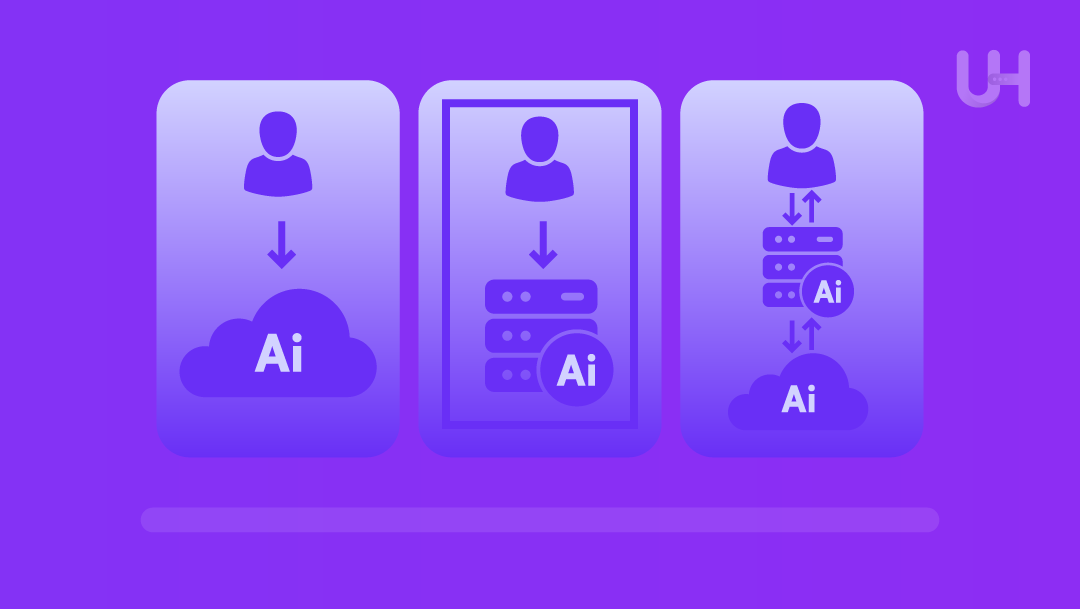
You can run AI today using either public cloud APIs or private, self-hosted infrastructure. Depending on your use case, security needs, and scale, each has its benefits.
Public API (Cloud)
Pros:
- Zero setup, just calls the API.
- Instant scalability and global availability.
- Minimal maintenance or security responsibility.
- Fast access to cutting-edge models.
Cons
- Recurring per-request costs (can spike fast with volume).
- Data leaves your environment for external processing.
- Limited customization of model behavior.
- Vendor lock-in and dependency risk.
Private AI Hosting
Pros
- Data that remains internal, suitable for sensitive or regulated workloads.
- Full control over model tuning, parameters, and updates.
- Predictable cost for high-volume usage.
- Choose from types of GPUs, quantization, runtime, and latency profile.
- Better fit for long-term or proprietary pipelines.
Cons
- Electricity and hardware services are expensive.
- You take care of up-time, scaling, and updates.
- Security is also yours.
- Large and detailed models require more planning.
Hybrid Approach
A hybrid approach is best; use a private CRS for sensitive workloads and then switch to a public API or public CRS to manage overflow.
Example:
- An in-house server is used to run in-house applications and store sensitive data.
- Public cloud is used for handling translations, sentiment, and during high usage spikes.
This allows you to remain flexible in your growth, while also keeping your security tight.
Infrastructure & Hardware – Matching Models to Resources
Out of all the hardware options, choosing the right pieces of hardware is the most important point within private AI. Your server requirements largely depend on the size of your model, how much traffic you expect to get, and whether your model employs quantization. The best, most flexible, and most resource-effective approach is to start with a small model and scale your solution up with usage.
Small Models
Small models (3-7B parameters, mainly if in 4-8bit quantization) are best run on private environments, selling CPU server or VPS Virtual Private Servers for private environments
packages with 16-32 GB RAM for chatbots, quick tests, and other low-resource tools.
Large Models
Having tasks that require real-time execution, or tasks that are processed by a multitude of users, function optimally on GPU servers, provided the servers have enough VRAM to load the model expeditiously.
Storage
Pairing the servers with NVMe drives facilitates super-speedy data transfer. Additionally, the servers should have sufficiently powerful CPUs and efficient networks to prevent bottlenecking.
Infrastructure balance
Hosting private AI needs you to balance GPU, CPU, memory, disks, and network speed. One slow part that you don’t fix, like RAM that’s too small, slow disks, or bad cooling, can drag down the whole process.
Use Case
For small workspaces, simple chatbots, or odd jobs, a CPU server or a small GPU usually works. When it comes to production, working with many users or big apps, a GPU server or VDS is the best pick.
| Model | Example | Minimum Recommended Infrastructure | Ideal Infrastructure |
| 3B – 7B | Internal bot, help with doc, low use | VPS with 16-32GB RAM, fast NVMe SSD | CPU-only VPS or entry-level GPU (8-12GB VRAM) |
| 7B – 13B | Small and mid-size assistant | Entry GPU (12-24GB VRAM), 32-64 GB RAM | Self-hosting GPU, NVMe |
| 13B – 34B | Multi-user chat, document heroes. | RAG, AI agentsGPU with 30-48GB VRAM, good CPU | Multi-GPU VDS or self-hosting server with GPU |
| 70B+ | Big and heavy-hitter helpers are used in real time. | Multi-GPU set up, up to 64 – 128GB VRAM | Cluster or hybrid (private + cloud) |
Deployment & Operations – A Practical Framework
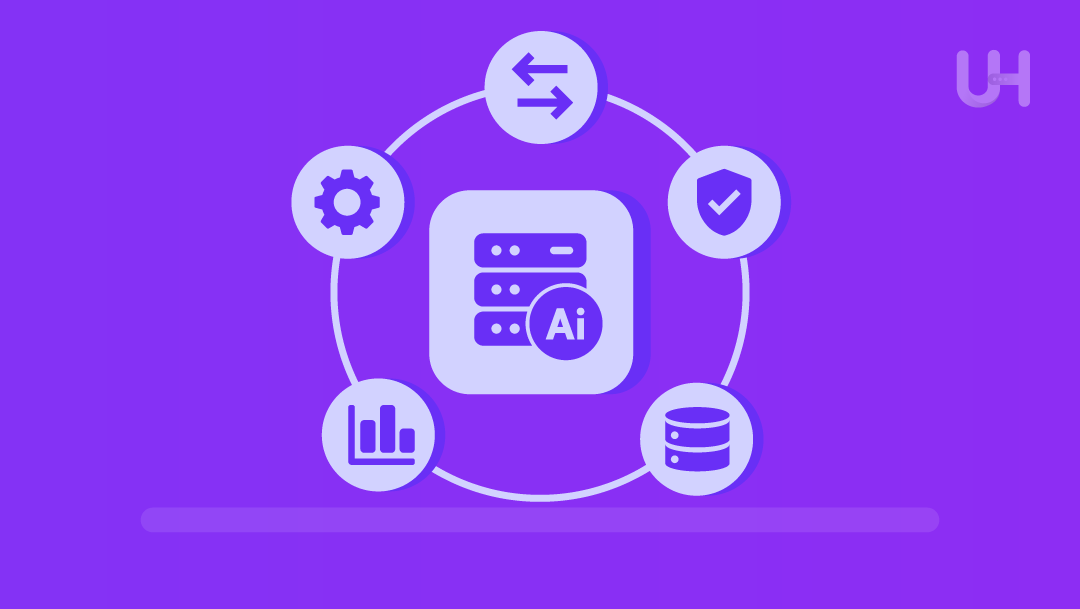
Getting private AI up is just step one. Where the work really begins is in using it – making sure it is all up to date, safe, and fast enough to be used in real life.
Deployment options:
You can set it up on your own server, in your own cloud, or on a dedicated host. Many use containers with Docker so they can update them more easily, go back in time if needed, or compare old versions.
Software stack:
A typical stack includes:
- Docker or container software.
- A model that answers AI questions.
- Add on Kubernetes to get better control.
- Bring in a load balancer or autospec system if traffic gets heavy.
Operational tasks:
What you must do depends on the number of queries you expect and how large the models are. If you have several models or need many people to use them, you may need to spread the load across multiple servers or balance it by IP with two or more.
Scaling Considerations:
When GPU work becomes too much, you can reroute to a second GPU, a CPU node, or even a cloud service when the built-in GPU gets maxed out.
Cost tracking and TCO analysis:
Hosting private AI also means you need to keep track of costs and do a Total Cost of Ownership analysis of what it costs to keep it running, pay for electricity, and how much time it takes to run it all. The more you use it, the cheaper it will be compared to using a paid API.
Maintenance Checklist
- Keep your inference server and model runs up to date.
- Apply all your OS and security updates each month.
- Watch GPU, CPU, RAM, and disk activity.
- Backup your models, words learned, logs, and setup info.
- Test new models in a trial run before you put them where everyone can see them.
- Limit how often certain people can use it and check their systems.
- Change the passwords and keys often to stay safe.
- Check on how much it costs and how hard it is to run every three months.
Security, Compliance & Data Privacy in Private AI Hosting
Private AI hosting keeps data inside the system you own or control without exposing it to third-party vendors, external logs, or unknown storage sites. This gives heavy control to the organization dealing with private conversations, proprietary data, or regulated workloads. This is a commanding advantage.
TLS/HTTPS
Safe Deployments. Multi layers of safety exist, TLS or https for shipping encrypted traffic, strong authentication, firewalls, IP restriction, and role-based access, all of which help against attacks on the model or on admin panels or for inference sites.
Compliance
Private AI also helps with better compliance if your business handles sensitive data you want to keep in-house. While this does not make your business compliant on its own, self-hosting can make sure your privacy laws are met if the right framework is used in your area for medical finance or legal issues.
Monitoring
Logs and tracking will always be a big part of safety for inference requests. Access logs and system performance logs help with audits, and debugging tools help identify issues and prevent your AI from being hacked or used for malicious purposes. Keeping records helps avoid passing data through third-party log sites.
Security
Containerization and isolating the environment will lower the attack, lowering the threats to your system when you’re running models in containers, VMs, or isolating environments from the rest. This will make reproducing the fix or patch much safer and easier without affecting the whole system. Security is not an optional thing in private AI. It is where your organization has to take control, but you must do it to secure hosting best practices actively for yourself.
When Private AI Hosting Makes Sense
Practical uses of private AI hosting include keeping private conversations, proprietary data, or regulated workloads. The organization’s self-hosting can manage its own privacy laws, whereas outsourcing through api’s may fail to comply with your laws. If you had to post your data to third-party services, your organization would lose control of its data, even if the AI is running on your machines.
Want to fine-tune your model on your own text, using your own data? You want the AI you are buying from a third party to have your knowledge base embedded. You want it specific to your industry. Type in the market you want your AI co-pilot for your organization to be made the way you want it to work.
Agencies that build AI for many clients may use private hosting to make sure every client gets the same quality and access to the same tools through a white label AI tool that works and performs the same.
Workflows where control over latency, uptime, or compliance is key, for example, house co-pilots or AI-driven automation, and in-house applications will run and work better and faster when it is hosted at home on your system or private PCIe.
Ideal Scenarios
- Handling Private or Sensitive Data.
- High or predictable usage where API costs can quickly rise.
- Want to fine-tune or embed your own custom knowledge base for your own proprietary data.
- Agency building AI for many clients and needs to keep control, workload, where latency, uptime, or compliance are key, for example, in-house copilots or AI-driven automation or on-premises apps that work better when hosted locally.
Less Ideal Scenarios
- Rare workloads, or small-scale or infrequent queries or prototypes.
- Limited infrastructure or less tech capacity to maintain servers.
- Prefer to keep it simple, low maintenance, no hardware to pay for.
- Tasks that don’t require privacy or customization.
Persona Examples:
Small Agency Building Client Chatbots: Relies on private hosting to avoid exposing client data to third-party APIs but still maintains control of the cost and provides a white label solution.
Startup with sensitive records: needs an internal AI assistant that can handle private documents without sending them to third-party cloud vendors.
Enterprise with heavy AI workloads: Understand API costs are faster than hardware costs, now on GPU servers, which are private and cheaper in the long term.
How UltaHost Enables Private AI Hosting
UltaHost is a hosting platform that is designed to support everything from small local models to GPU-based AI workloads for any needed features.
Hosting Platforms
VPS, VDS, and dedicated servers for high-performance workloads or any infrastructure your organization requires to deploy your AI model or models. With the right infrastructure, you can run small embedding models or multi-user high-end LLMS.
NVME SSD storage
High-end hardware with NVME SSD storage helps you run faster loading models, quick inference, and almost no latency. Better still, if you’re using bigger open source models or several users at once, they will never falter from speed or data issues.
24/7 human support
For small and mid-sized firms or teams that use in-house AI tools, UltaHost’s 24-hour, all-day human support can provide real help with setup, tuning, locking, and keeping the system safe and in good order. This can mean anything dealing with setting up containers, making it more safe for people to get in or out, tuning the limits to say how many resources your tools need, talking you by the hand when doing a task or helping in other such ways which helps you not be without help all the time or have to get experts just when using internet tools.
Transparent Pricing
UltaHost gives clear prices and plans you can grow as you go along, which can help teams plan out costs for the long term. As your use grows, your upgrades are simple, and teams can grow in height or later just swap out to GPU servers with more punch when they need to.
Reliable Uptime
Same good uptime, same good setup makes sure your AI is safe, plus you can be sure your AI is active and working all the time. It’s great for when your own AI tools work for work buddies, clients, or in workflows that run by the section, so if you rely on an API, it’ll not let you down or just stop working. Plus, it’s not free of cost to run a lot of inference requests and so forth, but for a busy and bad host for long-term use, hosting your own will be your best choice.
FAQs
When is Private AI Hosting more cost-effective than public APIs?
Private hosting becomes more cost-effective when usage is heavy, consistent, or involves many inference requests. High-volume or token-intensive workloads can exceed API budgets quickly, and self-hosting provides more predictable long-term costs.
Is Private AI Hosting secure by default?
No security is ever safe; it’s all in how you set it up. Ultimately, it’s how you set it up: a security guard can’t keep you safe if they don’t lock up securely, set locked doors, train your staff on how to keep out bugs, and so forth, to keep your workspace safe. Working with firewalls, good security lock keys, bad guys not getting in, keeping things all locked up tight, all are needed to keep a safe AI set up.
Do I need a GPU to host an AI model privately?
No, not always, small or packs of small models can run on servers with just CPUs, do more for tools you use yourself, or if your site is not busy, the CPU can do for speed and power as well. If you need a large model and want it quickly, use GPU servers, as you never know when you may need a real GPU.
What kind of maintenance does Private AI Hosting require?
Plan on doing these things: keep the OS updated and always run to patch holes, get the newest version of the models, check on your computer and keep it in check, keep copies of the data and the model weights so you never lose them, lock your work space down tight with security keys and keep an eye on how much it’s using to see you still have power, add more hardware or gear when needed or just make sure your set up is sound for it.
What if traffic spikes or usage increases unexpectedly?
Grow in power with better gear, or in size by handing some of it out to other servers, and go from there. Also, you can run a hybrid setup with private hosting and some cloud for overflow use, and the rest.
Is self-hosting AI suitable for small businesses or freelancers?
Yes, if you use small models and pack up those models tight into the smallest size you can use, even small teams can run private AI now without needing to cover costs for things like using API’s for they have what they need that no one else can see or get at, it’s all theirs, on hand with pointer limits and other such tools to help them do as they like with it.
