



Let’s begin with a question that most website owners have silently asked themselves at least once. “How could my site have broken, and I didn’t notice until a customer told me?
It occurs more often than people like to talk about. A plugin update quietly renders your theme incompatible. It is 2 AM, and a server resource spikes. On a Tuesday, a contact form breaks. And by the time anyone reacts, it’s too late, whether in lost business from rational leads or visitors who leave, or even a hack that bypassed them entirely.
Luckily, AI-driven tools are turning this on its head. The management of website maintenance is being automated, predicted and managed to a level not possible three years ago. And for those businesses whose very existence hinges on their owning a website, which, in 2026, is basically every business that exists, this makes huge difference.
So, let’s go through the best AI tools for website maintenance up and how they work, and what they really mean for your business bottom line.
Key Takeaways
- AI monitoring tools allow users to identify anomalies before they lead to downtime, not after the damage is already done.
- Smart rollback update tools remove the danger that manual plugin updates have always been associated with.
- They say AI security scanners can detect zero-day threats instantly, prior to patches being available.
- Performance AI processes every visitor’s device and connection speed in the moment.
- And the biggest beneficiaries are small businesses, these tools eliminate the need for a dedicated maintenance squad.
- The level to which native AI tools run and protect depends on your hosting environment.
Not sure which hosting plan is right for your business?
Explore UltaHost’s full range of plans, built for speed, security, and real growth.
The Role of Website Maintenance as a Business Problem: More than Just Technical.
Before diving into the tools, just to ground this conversation in business reality. Website downtimes cost an average business around $5,600 a minute.
What’s more, Google’s Core Web Vitals have confirmed that the performance of your site is directly linked to its rankings in search results. A slow loading page is not just a user experience issue, it is an SEO problem, and SEO issue is a revenue issue.In addition, the complexity of modern websites has increased exponentially. From CMS updates to plugin ecosystems, third-party integrations, security patches, and performance tuning, maintaining a website has virtually become a full-time job. AI tools are what keep it manageable, in particular for many teams not lucky enough to have a developer on-call.
| Speed is not a feature you add at the end. It is a decision made in how you build and maintain your infrastructure from day one — and AI is making that decision easier and more affordable to execute at every scale. |
AI Tools for Uptime Monitoring: Know Before Your Customers
If you have ever Googled “best AI website monitoring tools” or “how to get notified when my website is down,” read on. Typical monitoring would ping your server every few minutes, and then alert you if it didn’t respond.
Monitoring tools powered by AI goes exponentially beyond that, it learns your patterns, anticipates failures and surfaces root causes automatically.
Datadog
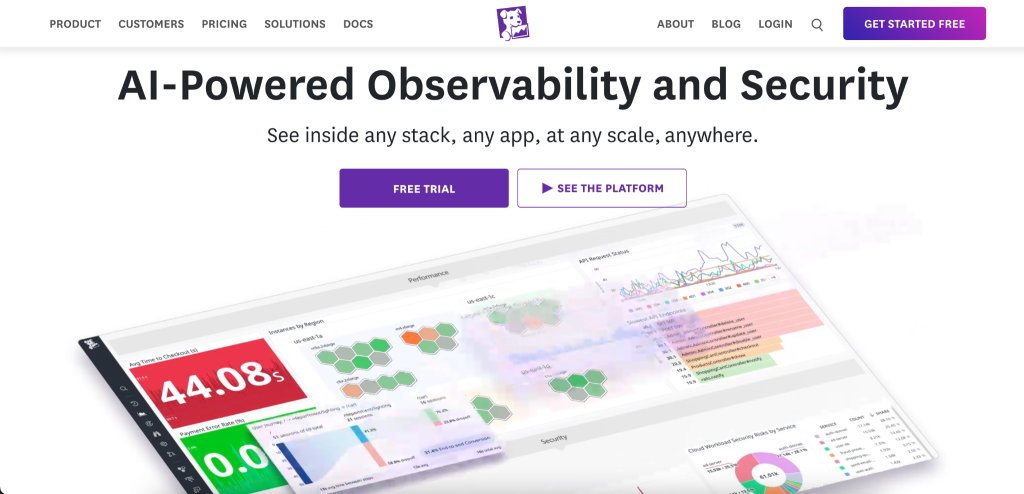
Datadog is among the most trusted observability platforms in the industry. It leverages machine learning to create performance baselines for your whole infrastructure, then alerts on deviations before that leads to outages. Its Watchdog feature automatically surfaces anomalies throughout logs, metrics and traces without needing to set thresholds for detection.
For companies that are validating complex hosting environments across multiple services, Datadog makes the connections between all components of the stack in a way as no single tool can.
Key Features
- Finds performance anomalies and provides root cause analysis with zero threshold configuration needed.
- Provides a holistic view of the system. Linking slow down in the frontend with possible backend database queries to server-side bottlenecks.
- Anticipates when memory and CPU will run out before it actually goes into downtime, giving teams time to respond.
- Monitors service-level objectives in real time, ensuring that business performance commitments remain alongside technical infrastructure metrics.
New Relic AI

New Relic has grown into one of the most advanced AI observability platforms out there. This noise reduction is transformative for businesses on managed or VPS hosting where all sorts of services interact. Teams spend less time pressing triage alerts and more time solving the problem.
Key Features
- Automatically clusters and correlates common alerts into a unified incident.
- Explains the performance issue all the way back to its source, such as a database query, third party API timeout, or recent code deployment.
- Observes your site’s traffic patterns over time and alerts you of statistically significant deviations long before they are visible issues.
- Connects new code deployments to performance changes that make it immediately obvious. What goes wrong with regressions after an update is applied.
Site24x7
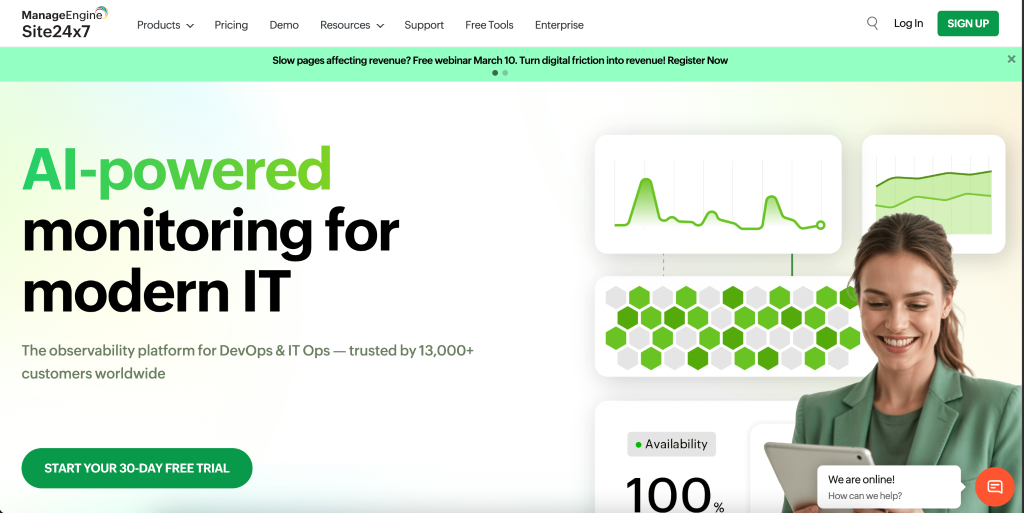
Site24x7 has a wide definition of monitoring, it covers websites, servers, cloud infrastructure and applications on one dashboard. It includes an AI-engineered forecasting system that forecasts performance degradation before it’s visible to users, and what makes it unique is its fine-level predictive analytic capability.
For shared or managed hosting businesses seeking reliable visibility but wanting to avoid the enterprise price tag of a solution like Datadog, Site24x7 occupies an appealing middle ground. Its pattern-based reports even bring up recurring issues, such as regular slowdowns on Monday mornings, that a person might never manually discover.
Key Features
- Predicts future resources use and degrading trend based on historical data, can make proactive capacity decision.
- Mimics the journeys of real users through various browsers and geographic areas to discover performance issues that server-based.
- When traffic is expected to spike, AI fine-tunes your alert thresholds so it doesn’t send alerts for what’s normal behavior.
- A comprehensive view of servers, DNS, SSL certificates, hosting environments and web applications in one connected single pane.
WP Umbrella
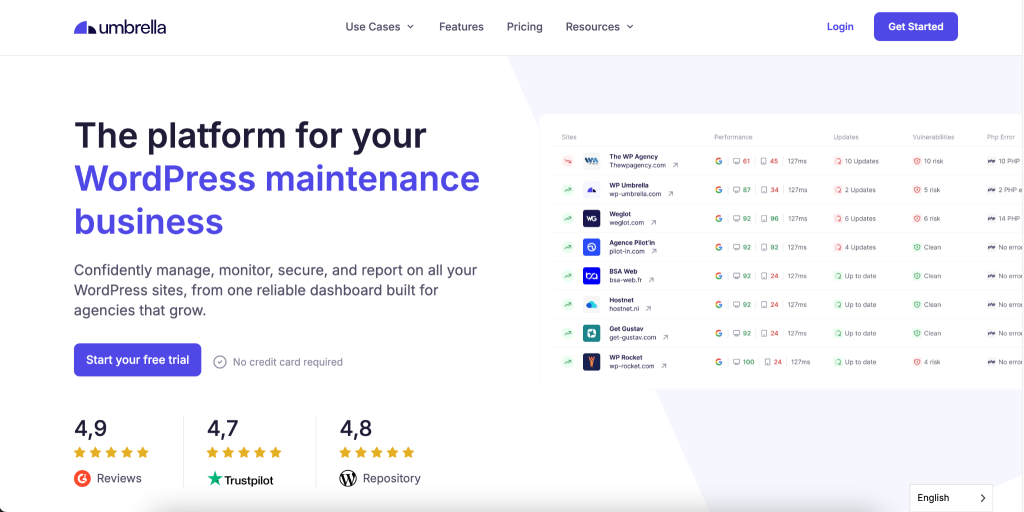
WP Umbrella is tailored to the needs of WordPress maintenance, and especially suited for agencies or businesses that manage multiple websites at once. Its update mechanism doesn’t just blindly apply changes, it creates automatic backups before each update, applies the changes, and runs an AI-driven post-update health check.
The rollback is performed automatically without human intervention, upon detection of any health check failure. This closed-loop methodology means the updates are deployed uniformly and a developer does not need to babysit each one, a significant time- and cost-saver at scale.
Key Features
- A full site snapshot is taken before every update, so a clean restore is available before any changes are performed.
- Scans for PHP errors. Broken functionality immediately following the completion of each update, detecting issues on the spot.
- The system goes back to its pre-update form automatically so there are no human decisions or intervention required.
- Centralized Multi-Site Management: Manage Updates, Backups, Uptime & Performance reporting for multiple WordPress sites in one clean dashboard.
ManageWP
ManageWP is one of the oldest WordPress management platforms available today, but it’s its AI-powered Safe Updates functionality that differentiates it for maintenance-heavy companies. It takes a visual screenshot of your key pages before applying any update.
Then, once the update is done another screenshot is taken and compared using AI visual diffing, automatically highlighting layout shifts, broken elements or missing content.
For e-commerce sites, where even a broken checkout button can mean thousands of dollars lost in revenue. This visual regression safety net is not just nice to have; it’s business continuity execution at its finest.
Key Features
- After every update screenshots of the pages are compared and visual diffs between them. Later flagged up automatically in order to catch a broken layout.
- Performs scheduled bulk updates across multiple sites, so routine plugin maintenance stays off your workload.
- Tests updates on a clone before planting it on the live bidirectional site, eliminating update risk entirely for revenue-critical environments.
- In-line uptime and performance checks are run alongside the update workflow. This provides a more complete picture of maintenance in one interface.
Sucuri
Sucuri is one of the most trusted names in website security, and one of the few truly effective AI-powered scanning engines against modern threats. It continuously checks your site for malware, DNS changes and SSL anomalies, its AI layer is specifically trained to identify obfuscated malicious code that signature-based scanners miss day in and day out; it provides professional-grade cleanup services with guaranteed clean-up SLA (great business continuity promise guarantee most of the security plugins don’t offer).
Key Features
- Tool detects malicious patterns in the presence of obfuscation, attackers specifically hide code to avoid detection by signature-based scanners.
- This WAF sits on top of the DNS Level and filters out unwanted traffic before it gets a chance to make it to your individual server.
- Constantly monitors your domain against Google, McAfee, Norton, and various other reputation services, notifying you the instant a flag is raised.
- If a breach occurs, Sucuri’steam promises to clean the site under defined agreement, a safety net that most tools won’t offer.
Wordfence
Wordfence is the world’s largest deployed WordPress security plugin, and it shines in collective threat intelligence network. Once an attack pattern is identified on any single one of the millions of sites that are using Wordfence, that intelligence gets immediately fed back into the system, and it’s applied to protect every other site on the network. This means that the tool is evolving with each attack it sees worldwide, a compounding AI advantage that isolated security tools are never going to match. Its endpoint firewall runs on the same server as WordPress itself, providing it with deeper visibility than cloud-based solutions.
Key Features
- Gets immediate attack pattern updates from a worldwide network, so your defenses are always up to date against newly emerging threats.
- Runs natively on your server, not in the cloud (denied network traffic does not see this), so can leverage WordPress specific context that an external network firewalls cannot see.
- Smart rate-limits login attempts and prevents credential-stuffing attacks from ever getting a foothold on your site.
- Identify unauthorized changes to WordPress core files, an early indication that a compromise has already begun.
NitroPack
NitroPack is an performance optimization tool which provide AI based site with different optimized versions of your site for each visitor depending on the device, browser and connection speed. A mobile user with a slow 4G connection gets a stripped-down, highly compressed experience. A desktop user using fibre gets the full version and progressive enhancements.
Key Features
- Automatically convert, compress and lazy-load images based on screen resolution & pixel density of requesting device.
- It can only inline the minimum required CSS needed to paint above-the-fold content, giving a significant improved increase in FCP and LCP scores.
- An AI predicts the next page a visitor would go on and loads it in the background for rapid navigation..
- One-Click solution without having technical entry level developers or changing the coding.
How to Choose a Hosting Plan with Strong AI Support
This is a practical consideration that tends to get from the tools discussion, but should not. Depending on the data hosted environments on which you are running these AI tools, how the access has been created, will determine what all can be done and to what extent at infrastructure level bottom up approach.
Due to server-level limitations, when using shared hosting not all third-party tools have access. On managed hosting or VPS plans, AI security tools can be placed closer to the server, performance tools talk to cache layers more effectively and maintenance jobs run without having resource contention with the other tenants.
For businesses where AI-powered maintenance is a priority, the hosting environment forms part of the infrastructure decision, not an independent one. A correctly implemented VPS with server-layer AI security will always deliver better protection than a faster server that relies solely on plugin-level security.
Creating a Practical Maintenance Stack for AI
The most effective way to go about this is covering the four core maintenance needs in a targeted stack, and not adopting every tool under the sun. Most companies should have some sort of reasonable baseline like this:
A hosting environment on an infrastructure level where these tools can interoperate, so that they’re not just plugins at the application layer with limited server access.
- An AI. uptime and performance monitor with anomaly detection
- Some type of an AI-driven security scanner with auto malware removal
- An intelligent rollbacking automatic update manager
- A device and connection agnostic performance optimization layer
| Note: Especially in B2B scenarios, procurement teams frequently demand to see that you’re GDPR compliant before executing a contract. |
Most businesses treat website maintenance as something you do when something breaks. That mindset is the single biggest operational risk to your online presence. The real shift happens when you move from reactive maintenance to predictive maintenance — and AI is exactly what makes that transition possible.
Investing in the right AI maintenance stack is not an IT expense. It is a business continuity investment that protects your revenue, your reputation, and your customer relationships around the clock.

The Business Argument for Getting This Right
Let’s be straightforward about one thing. GDPR Compliance is not just a checkbox. It’s an enterprise weapon and, done right, it is a real competitive difference maker.
Never forget that consumers are more aware of data than his ever been. When consumers see transparent data handling, clear privacy practices and trusted infrastructure behind a brand, they make purchasing decisions. Saying yes with confidence — and documentary evidence — is a business development advantage.
There is the cost of an investigation, a legal team and a PR response; customer notifications; operational disruption. And it will all too frequently come at a cost that vastly exceeds the fine itself. In this instance, it’s far cheaper to prevent the disease than treat it.
Businesses that think of data protection as a value — not just an obligation due to red tape — often have stronger relationships with customers. And more satisfied customers lead to longer retention, higher lifetime value and greater referrals. This is not a difficult business-math equation.
Common GDPR Hosting Questions Every Business Should Understand
These questions are so pervasive in search and client discussions that I thought they’d be worth addressing directly here.
“Does GDPR count for me, if my business is not in Europe?” — Yes, if you gather any data from residents of the E.U. then GDPR applies, even if your business is based outside the European Union. The legislation travels with the data subject, not where the company is based.
“If I have a cookie banner, does that mean my website is GDPR compliant?” — Not necessarily. A cookie banner is merely one aspect of compliance, and the GDPR features remits that go well beyond, such as data storage management, processing agreements monitoring, breach notifications Recap data breach notification requirements Users rights control And others.
Your hosting company should have a system in place to let you know if there’s been an attack right away. And if they don’t, that hole in your DPA is a serious issue.
What to Actually Do Next
One thing is reading about GDPR. Taking action is another. Below is a realistic starting point for companies interested in bringing their hosting environment into compliance.
Begin by auditing what kind of personal information your website gathers, and where it goes. All of these, form submissions, analytics tools, e-commerce transactions, newsletter signups — require personal data. Understanding your data flows is the key to everything.
Then, consider your existing hosting onward. Have you signed a DPA with your provider? If you’re not clear on those answers, that’s the discussion to have with the friend who invited you — or the reason to switch over to a host that can give them clearly.
Next, you need to examine your internal policies. Do you have a written data breach response plan? Do your employees know the basics of GDPR? They do not exist in a vacuum – they belong side by side with hosting infrastructure and are just as important.
Finally come back to this on a schedule. Becoming GDPR compliant is not a project with an end-date. Regulations change, your data practices change, and your hosting needs change. Incorporating some kind of regular review into your operations is the way businesses stay ahead — not by scrambling to catch up when something goes wrong.
Make Your Hosting GDPR-Compliant?
With Ultahost, get transparent data management, advanced encryption, and reliable hosting environments built for modern regulatory standards.
Final Thought: Compliance Is a Base, Not an End Game
Understanding GDPR in web hosting Ultimately, GDPR when it comes to hosting boils down to a straightforward concept: personal data is a liability, and not an asset. The businesses that get this are likely to manage it better — and profit more.
Your host environment is running in the background isn’t just a detail. It’s core to how your business handles data, keeps users safe and preserves the trust upon which everything else relies. Selecting a provider that takes GDPR compliance seriously is one of the more important infrastructure decisions that an organization can make.
The good news is that you can do a lot to get this right. It means that, with the correct hosting partner and properly worded agreements combined with a good understanding of what you’re committing to from your side, compliance isn’t particularly painful – and there’s more frankly enjoyable work too.
For, you see, businesses that take good care of their customers are those customers want to stick with. And that’s really what this is about.
FAQs
What is the best AI tool for WordPress maintenance?
For updates and rollback: WP Umbrella and ManageWP. For security: Wordfence and Sucuri. For performance: NitroPack. The best combination depends on your scale and whether you manage one site or many simultaneously.
Can AI tools fix website errors automatically?
Some can — particularly for update conflicts via rollback, and for known malware removal. Complex custom code errors still require human review. The strength of AI is in early detection of problems and preventing them from becoming full incidents.
How does AI improve website uptime?
AI makes uptime better as it recognizes anomalies before they lead to outages, predicts resource exhaustion and collates multi-system problems into a single root cause faster than any human monitoring process could ever hope for.
Are AI website maintenance tools worth it for small businesses?
Yes — arguably more so than for large enterprises. Small businesses rarely have dedicated technical staff, meaning issues go undetected longer. AI maintenance tools effectively act as a 24/7 technical team at a fraction of the cost of hiring one.
What should I look for in a hosting provider for AI-powered maintenance?
Look for providers that build security scanning, automated backups, and performance optimization into the infrastructure directly — not as third-party plugins. Server-level AI tools are consistently more effective and harder for attackers to bypass.


