



An UltaHost review should distinguish advertised hosting features from measured results. The useful questions are which plan fits your workload, which management tasks are included and what the service costs after its introductory term.
UltaHost offers shared, WordPress, VPS, reseller and dedicated-server products. Its VPS range includes NVMe storage and management options; the exact allocation and support scope depend on the order.
This review is published by UltaHost. It explains the available hosting categories, costs and operational trade-offs using published product information. It is not an independent review or a report of controlled speed, uptime or support-response tests.
What Is UltaHost?

UltaHost provides several hosting categories, including shared hosting, WordPress hosting, VPS and dedicated servers. Compare the specific product rather than assuming all categories include the same resources or management.
Managed and self-managed arrangements give customers different responsibilities. Confirm the operating-system, control-panel and application tasks included in the plan before ordering.
Hosting plans include:
- Shared hosting.
- Managed VPS hosting.
- Unmanaged VPS hosting.
- WordPress server.
- Dedicated servers.
- Reseller hosting.
- Domain registration.
- Tools for security and backup.
The VPS product page lists NVMe storage. Storage is one part of application performance; CPU, RAM, cache behaviour, database activity and server location also matter. A specification alone does not establish a measured speed advantage.
Who Is UltaHost Best For?
The effective use of UltaHost appears in specific use cases which includes:
Beginners
A managed service can reduce server administration work for someone moving from shared hosting. Confirm what the support team maintains and what website tasks remain your responsibility.
Small Business Setup
Small businesses should match resource limits, backup recovery and support scope to the website’s needs. A VPS can provide more configuration control, but it also introduces server-level operating requirements.
WordPress Users
For WordPress, check the selected plan’s PHP resources, caching, update controls, backups and staging support. Features vary by product; they should not be assumed from the WordPress label alone.
Developers
Developers seeking for VPS scalability without a traditional buildup from scratch can easily start the balance of managed services with customization options. Nonetheless, developers who need a highly specialized infrastructure may still seek fully unmanaged cloud environments.
Agencies
Reseller hosting provides agencies that manage multiple client websites with scalability, centralized management, and migration-supportive VPS.
Compare the selected plan with your workload and operating requirements. Published specifications are useful, but they are not a substitute for measured application performance.
Hosting Plans and Pricing

Shared hosting by UltaHost caters to beginners and low-to-medium traffic. The common features are:
- Installs with one click.
- Free SSL certificates.
- Email service.
- Fundamental safety instruments.
- Getting a website moved.
Shared Hosting is essential for blogs, portfolios, and smaller business websites. When traffic is high or when sites tend to be very plugin and dynamic database request-heavy the resource limitations can be checked. At this point, many users tend to migrate to VPS Hosting.
VPS hosting

The VPS range offers a different resource allocation and management arrangement from shared hosting. Check these specifications for the selected order:
- Allocated vCPU and RAM.
- Storage type and capacity.
- Root access and supported operating systems.
- Management scope and panel licences.
- Upgrade and backup arrangements.
A VPS separates the guest environment from other accounts and gives more server-level control. The actual performance still depends on resource allocation, contention, configuration and the workload.
A managed VPS can suit users who want help with agreed server tasks. Define those tasks before ordering; management is not a guarantee that every application-level issue is included.
Hosting for WordPress

For WordPress plans, verify these features and their limits before relying on them:
- Web-server and cache configuration.
- Update and staging controls.
- Malware scanning and recovery procedures.
- Backup schedule, retention and restore access.
WordPress speed also depends on the theme, plugins, database and cache configuration. Test representative pages and checkout flows rather than inferring results from a list of hosting features.
For new users, it minimizes the difficulties related to setting up servers.
Dedicated Servers

UltaHost offers dedicated server hosting for users needing isolated hardware resources. More services include:
- Reseller Hosting.
- Online registration.
- Website transfer.
- Backup utilities.
- Security devices.
- CDN integrations.
Dedicated hosting is available but focused on managed VPS value rather than advanced enterprise infrastructure seems to be the company’s real edge.
Pricing Transparency
Compare the upfront charge, contract length and renewal amount. UltaHost’s general terms provide for renewal at the then-current non-promotional rate; the introductory price should not be assumed to continue.
UltaHost stands out for its beginner-friendly approach, making it easier for users to launch and manage websites without extensive technical experience.
Billing terms vary. Check the total charged for the selected term, taxes, panel licences and other extras. Review the refund policy for eligible services, exclusions and time limits rather than treating every purchase as refundable.
UltaHost Performance Overview
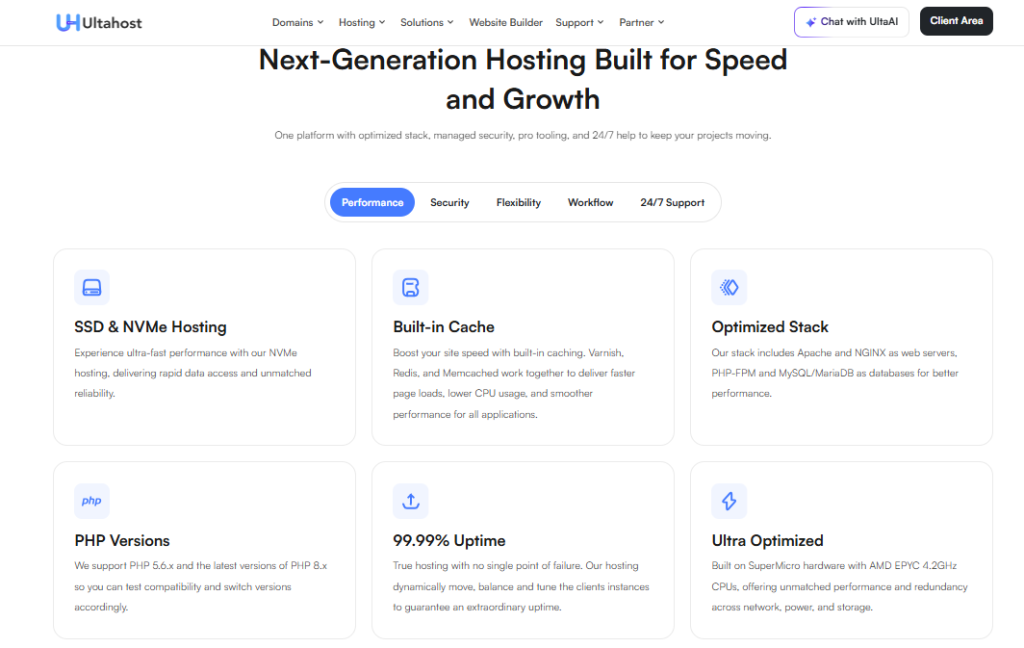
Published infrastructure specifications help you shortlist a plan, but they do not measure your application’s speed or uptime. This article contains no controlled performance benchmark.
Speed and Uptime
To evaluate performance, measure more than storage type:
- Cached and uncached response times.
- Database query latency.
- CPU, memory and storage utilisation.
- Network latency from the intended audience.
A VPS may help when an existing resource limit is the bottleneck. It will not automatically fix slow plugins, unindexed queries, remote API latency or an unconfigured cache.
Check whether LiteSpeed and the required cache features are actually available on the chosen product and licence. Benchmark the application with the selected web stack rather than assuming one server technology is always faster.
When testing a candidate plan, record these outcomes:
- Response times under the expected traffic.
- Errors and resource saturation.
- Recovery after a service restart or failed deployment.
An advertised uptime commitment is different from independently measured availability. Review the applicable service terms, exclusions and remedy, and use external monitoring to assess your own installation.
Server Infrastructure
UltaHost has multiple data centers that help mitigate latency for audiences spread across the globe. The notable features of infrastructure are:
- Storage based on NVMe.
- CDN Compatibility.
- VPS resource segregation.
- LiteSpeed enhancements.
- Flexible digital surroundings.
For VPS users, resource isolation is especially useful as neighbouring websites impact a VPS server far less than that of a shared hosting server.
Real World VPS Experience
The day-to-day experience depends on the selected control panel and management arrangement. Before migration, check access, backup restoration, resource changes and application compatibility.
Setting up a VPS instance is simple, and the setup process itself is easy enough to follow even for users with limited experience. Users can typically:
- Reboot servers easily.
- Upgrade resources.
- Access backups.
- Monitor usage.
- Configure applications quickly.
No traffic-spike test was performed for this article. Run a controlled load test on an authorised staging environment and record response times, errors and resource usage before drawing a capacity conclusion.
Some enterprise workloads with very high traffic may still need more specialisation around what cloud infrastructure providers can deliver.
Ease of Use and Dashboard Experience

Depending on the hosting plan, UltaHost provides well known management environments.
Users may encounter:
- cPanel.
- Plesk.
- Custom VPS interfaces.
A control panel can simplify routine tasks, but the available functions and licences depend on the order. Ask which tasks the team performs and which require your own administrator.
The tasks include:
- Installing WordPress.
- Managing domains.
- Creating email accounts.
- Configuring backups.
Confirm that the chosen panel supports the features you need and that any required licences are included. Test the migration and recovery workflow before moving the production site.
VPS Management Experience
In terms of the VPS management experience it is a pretty good balance of simplicity and flexibility. Common VPS tasks include:
- Server reboots.
- Resource scaling.
- Snapshot management.
- Monitoring usage.
- Accessing root controls.
This can make easy access for intermediate users looking for some server nudging without going fully self-managed infrastructure.
Beginner vs Advanced User Experience
Beginners will likely appreciate:
- Managed support.
- Preconfigured hosting.
- Easier dashboard navigation.
- Migration assistance.
Advanced developers, want:
- Infrastructure-level customization.
- Cloud server flexibility.
- Advanced networking controls.
Although UltaHost is quite developer-friendly, they are not a replacement for heavily specialized DevOps-focused cloud environments.
Customer Support Review
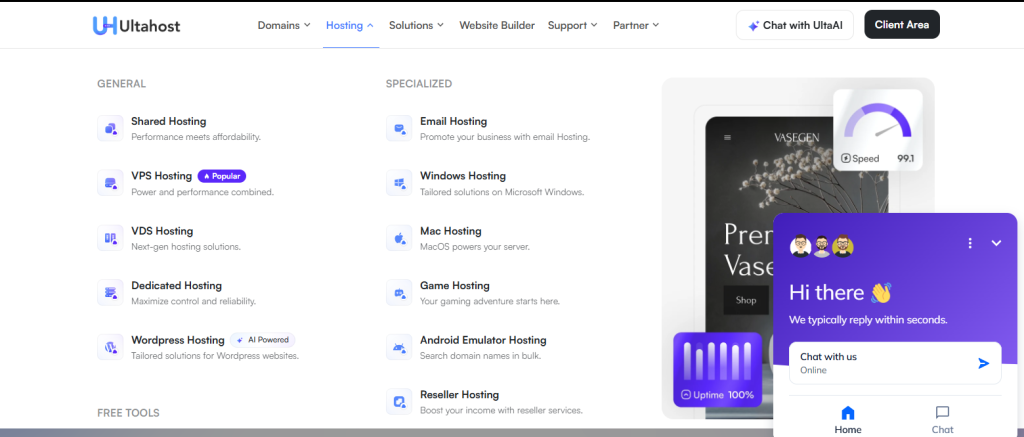
UltaHost offers multiple support channels that include live chat, a help assistant, and email support. Many hosting plans also have migration support available.
This article does not include a timed support test or a guaranteed resolution time. Before purchasing, ask which migration, server and application tasks are covered by the chosen management arrangement.
When discussing support, ask about the scope of these tasks rather than assuming every task is included:
- Installation of WordPress.
- Migrations.
- SSL setup.
- Inquiry regarding hosting setup.
- Fundamental VPS oversight.
While many users rely on UltaHost for everyday hosting assistance, the support team is also equipped to help with more advanced VPS, security, and performance-related concerns when needed.
Compare the written service scope and escalation process. Price alone does not establish support quality or the ability to resolve a particular issue.
UltaHost Security Features

Verify the following features for the selected product and management scope:
- Complimentary SSL certificates.
- DDoS protection.
- Malware scanning.
- Firewall settings.
These tools help mitigate typical website dangers for non-techies.
Security Benefits
Resource isolation adds one more level of security to VPS. The VPS users enjoy more benefits than shared hosting.
- Dedicated resources.
- Minimized effect on nearby accounts.
- Restricted access permissions.
- Managed security upgrades.
A VPS is not automatically compliant or secure enough for sensitive workloads. Check access controls, patching, encryption, backup recovery and any required contractual or regulatory conditions separately.
Reliability
Many factors enhance trustworthiness
- Refund procedures.
- Transparent hosting categories.
- Supervised support access.
- Various infrastructure alternatives.
Nonetheless, users should always carefully examine renewal pricing and match hosting plans with realistic traffic expectations.
The Pros & Cons of Hosting
Pros
- Quick infrastructure based on NVMe.
- Cheap VPS server hosting.
- Dashboard experience for beginners.
- Great scalability for growing sites.
- Various types of hosting are available.
- Assistance with migration.
- Powerful wordPress optimization features.
Cons
- Deeper infrastructure customization may appeal to advanced developers.
- When subjected to heavy loadings shared hosting still has a resource limit.
- The quality of support may depend on the complexity of the issue.
UltaHost vs Competitors
When comparing UltaHost with another provider, use the same hosting category and equivalent requirements:
- CPU, memory and storage allocation.
- Management and licence scope.
- Backup retention and restore access.
- Billing term and renewal cost.
A low introductory price does not prove poor performance, and a higher price does not prove better performance. Compare the full order and test the workload.
For a comparison with a more expensive managed or cloud service, identify what its price includes:
- Included operating-system and application management.
- Support scope and escalation arrangements.
- Backup, recovery and monitoring responsibilities.
Evaluate any enterprise or specialist requirements separately:
- Required contractual commitments.
- Compliance and data-location requirements.
- Networking and automation capabilities.
The practical choice is between the service arrangements that meet your requirements, such as:
- Shared or managed WordPress hosting for a standard website.
- A managed or self-managed VPS for server-level control.
- Dedicated hardware when the application requires it.
Choose a plan only after comparing the resource limits, management responsibilities and ongoing cost. This review does not establish a provider-wide price or performance winner.
Is UltaHost Worth It in 2026?
UltaHost is worth considering when its available plan, management scope and cost fit your requirements. Check the actual renewal amount and operational responsibilities; whether it offers good value depends on your project.
Best Use Case: UltaHost is a good choice for:
- Websites of wordPress.
- Websites for small businesses.
- Expanding VPS projects.
- Managing numerous websites agencies.
- Users moving from a shared hosting plan.
When It May Not Be Ideal?
This may not be suitable for you:
- Businesses with highly specific compliance.
- Infrastructure required by specialized businesses.
- Projects that require extensive custom networking.
Final Verdict
UltaHost provides several routes beyond entry-level shared hosting. A suitable plan should meet the application’s resource, administration and recovery requirements at an acceptable ongoing cost.
The features to compare for your project include:
- A management arrangement that fits your team.
- The required CPU, RAM and storage.
- A suitable panel and migration path.
- Backup recovery and ongoing renewal cost.
Simultaneously, there are still realistic tradeoffs with the platform. Shared hosting has limitations under heavy workloads, and advanced infrastructure specialists may ultimately outgrow the platform.
Shortlist UltaHost if its hosting category, support arrangement and current specifications match your project. Confirm the order details and test the important application and recovery paths before moving production traffic.
FAQ
Is UltaHost good for VPS hosting?
UltaHost offers VPS plans with NVMe storage and management options. It may suit your project if the specific resources, management scope and ongoing cost meet your requirements. This review does not include a controlled performance test.
Does UltaHost offer managed hosting?
Yes, managed hosting options are available. Confirm the operating-system, panel and application tasks included in the selected product.
Is UltaHost good for WordPress?
Performance depends on the actual plan, application and configuration. Test representative pages and traffic from the intended audience; published specifications alone do not establish measured speed.
Does UltaHost have good customer support?
UltaHost provides support channels, but this article has not measured response or resolution times. Confirm the scope and escalation process for your chosen service.
Is UltaHost worth the price in 2026?
UltaHost may be suitable for a website or application that fits its available plans. Compare resource limits, licences, backup recovery, support responsibilities and renewal cost before deciding.


