
 English
  Arabic
  Russian
  Dutch
Dutch  French
  German
  Italian
  Portuguese
  Spanish
  Turkish
  Georgian
  Hindi
Hindi  Indonesian
  Polish
  Vietnamese
  Thai
Thai  Korean
  Romanian
  Persian
  Hungarian
  Philippines
  Czech
Czech  Danish
  Norwegian
  Ukrainian
  Chinese
 RDP Free Trial - Windows VPS with Full Admin Access
With UltaHost’s RDP free trial, you pay for the first month, use it for 30 days, and if it isn’t what you need, we'll refund your payment in full.
Starting at
Try our RDP for 30 Days

 Windows

 Ultrafast VPS
Global Servers


 4.9 out of 5 based on 2500+ UltaHost Reviews
Plans with Free Trial RDP Hosting
Select a Windows VPS plan based on the CPU, RAM, and storage you need. All plans come with RDP access and full admin rights.
Basic Windows VPS
 Save 40%
 2 CPU Cores
 2 GB RAM DDR5
 50 GB NVMe SSD
 Managed Server
Business Windows VPS
Save 40%- 2 CPU Cores
- 4 GB RAM DDR5
- 80 GB NVMe SSD
- Managed Server
Professional Windows VPS
Save 40% 3 CPU Cores
 6 GB RAM DDR5
 150 GB NVMe SSD
 Managed Server
Enterprise Windows VPS
Save 40%- 4 CPU Cores
- 8 GB RAM DDR5
- 200 GB NVMe SSD
- Managed Server
Premium Windows VPS
Save 40%- 8 CPU Cores
- 32 GB RAM DDR5
- 400 GB NVMe SSD
- Managed Server
Ultra Windows VPS
Save 40%- 12 CPU Cores
- 64 GB RAM DDR5
- 750 GB NVMe SSD
- Managed Server

Need Even More Resources? Switch to a Dedicated Windows VDS
Get 5x the server power and dedicated RAM with our virtual dedicated server plans.
Windows VPS Hosting Features
Windows VPS hosting includes hardware, storage, security, and support.
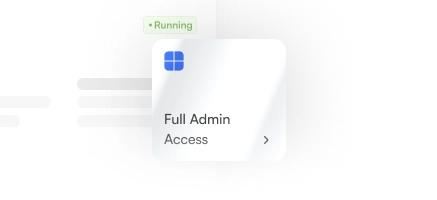
Full Control
Your Windows VPS comes with an RDP with admin access, allowing you to install any software, change system settings, modify the registry, and run applications.

Connection Speeds
Connect to a high-speed network with routing optimized for regions in Europe, the USA, and Asia, so your session stays responsive.

Allocated Resources
Your Windows VPS runs independently from other customers, so the server usage of others doesn't affect your performance.

Unlimited Bandwidth
Using our Windows VPS hosting allows you to transfer as much data as you need. There are no bandwidth limits or overage charges on any UltaHost RDP plan.
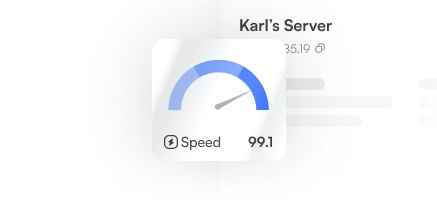
NVMe Storage
Up to 750 GB of NVMe SSD storage is available, allowing your applications to load quickly.

Managed Servers
UltaHost’s expert team deals with server maintenance, security updates, and monitoring.
Free Windows RDP Trial Plans Include
- Optimized With Advanced Caches
- HTTP/2 Enabled Servers
- Unlimited Bandwidth
- Staging Environment
- Dedicated IP Address
- CDN Add-on
- Unlimited Application Installation
- Regular Security Patching
- 24/7 Real-time Monitoring
- SSH and SFTP Access
- Free SSL Certificate(s)
- Dedicated Firewalls
- Monarx Security
- Auto Healing
- Advanced IIS Control
- 30-Days Money-Back
- Free Domain Transfer
- Automated Backups
- Team Management
- Free Migration
- Free Backups


Karl’s Server
255.189.85.19 

Ultahost Managed
Remote Workspace
Install files and apps on your Windows VPS and access them using your free trial RDP plan. Login from any device, from anywhere in the world, and your workspace will stay the same. You will get full Windows Administrator access, which supports operating systems such as Windows, macOS, and Linux.
Built In Security
Your VPS comes with its own firewall while Monarx malware detection runs in real-time, and security patches are applied on a regular schedule without you needing to manage them. Your Windows VPS is monitored at all times, and if something goes wrong, auto-healing restarts it automatically.


Protected
No threats found

 Speed
Speed



24/7 VPS Support
If you experience technical issues or have a question about your VPS, our support team is available 24/7 online, by phone, or email. We also have a Knowledge Base that covers common configuration tasks, and troubleshooting steps if you’d like to read up on solutions by yourself.
 Knowledge Base
  Ticket Support
  UltaAI Support

IIS Manager

Docker

Windows Admin Center

Plesk
OS Setup Within Minutes
Select your preferred Windows operating system at checkout, and your server will be ready within minutes.
Free Remote Desktop Hosting Plans
Our tiered plans make it easy for you to find an affordable RDP plan with all the features you need.
| Basic$0/mo | Business$0/mo | Professional$0/mo | Enterprise$0/mo | Premium$0/mo | Ultra$0/mo | |
|---|---|---|---|---|---|---|
| Hosted Websites | Up to 7 | Unlimited | Unlimited | Unlimited | Unlimited | Unlimited |
| SSD NVMe Storage | 50GB | 80GB | 150GB | 200GB | 400GB | 7500GB |
| Monthly Bandwidth | Unlimited | Unlimited | Unlimited | Unlimited | Unlimited | Unlimited |
| Free Dedicated IP | One IPv4 | One IPv4 | One IPv4 | One IPv4 | One IPv4 | One IPv4 |
| CloudFlare CDN Free |  | | | | | |
| Free Website Migration | Up to 7 | Unlimited | Unlimited | Unlimited | Unlimited | Unlimited |
| Free Backups | | | | | | |
| SQL 2012 or 2014 hosting | | | | | | |
| Full Access | | | | | | |
| Port Speed | ~150/350Mb | ~350/550Mb | ~550/700Mb | ~700Mb/1GB | ~700Mb/1GB | ~700Mb/1GB |
| Free SSL certificates | | | | | | |
| Guaranteed Resources | | | | | | |
| MySQL Database | Unlimited | Unlimited | Unlimited | Unlimited | Unlimited | Unlimited |
| DNS Manager | | | | | | |
| FTP / FTPS | | | | | | |
| Microsoft Web Deploy | | | | | | |
| Server Side Includes (SSI) | | | | | | |
| ASP.NET AJAX | | | | | | |
| Silverlight 4 and 5 hosting | | | | | | |
| Python | | | | | | |
| .NET Core / ASP .NET MVC3 | | | | | | |
| Monarx Security | Free | Free | Free | Free | Free | Free |
| Snapshots | Free | Free | Free | Free | Free | Free |
| Instant Activation | | | | | | |
| RDP Control | Free | Free | Free | Free | Free | Free |
| Perl | | | | | | |
| Free Email Addresses | Unlimited | Unlimited | Unlimited | Unlimited | Unlimited | Unlimited |
| Access with www. | | | | | | |
| Plesk for Windows | Paid | Paid | Paid | Paid | Paid | Paid |
| 100% Fully Managed | | | | | | |
Improve Workflow with a Windows VPS
UltaHost’s Windows VPS hosting comes with strong security, guaranteed uptime, and expert support.

Backup Options

Latest Technology

Run Windows Apps

Upgrade Resources

Made for Performance

No Bandwidth Limits
Already with a Windows VPS Hosting Provider?
Migrate to UltaHost for Free!
RDP Free Trial Reviews

I’ve tried out multiple RDP servers throughout the years, so I was a bit sceptical about signing up to UltaHost. With their RDP free trial, they offered a 30-day money-back guarantee which put my mind at ease. Thankfully, I didn’t need to avail of the guarantee, the service was fantastic, and I decided to continue with my plan.
I work remotely and have been having issues with my laptop not connecting fast enough. I suggested using an RDP to my employer, and they agreed to sign up for the free RDP trial to see if it would solve the problem. A few minutes after installation, my desktop was connected and running faster than ever!

I have 18 remote team members spread out across the EU and USA. It was difficult to sync all of our files, so an RDP was the only solution for us. UltaHost’s free RDP trial was a godsend for my business and cut hours off my weekly admin tasks just by having everything in one location.
UltaHost vs. Competitors
Compare UltaHost’s features to other RDP providers to see what you'd be missing out on elsewhere.
- Starting From
- Websites
- Disk Space
- RAM DDR5
- Monthly Bandwidth
- Monarx Security
- Snapshots
- Free Backups
- Node.js Socket

- $15.90/mo
- Unmetered Traffic
- 50GB NVMe
- 2 GB
- Unmetered

- Unlimited
- GET STARTED MONEY-BACK GUARANTEE

- $37.95/mo
- 5 Domains
- 50GB
- 2 GB
- Unmetered
- -
- Unlimited

- -

- $89.00/mo
- 1 Website
- 100GB
- 2 GB
- 10 TB
- -
- Paid
- -

- $27.00/mo
- 1 Website
- 30GB
- 2 GB
- Limited
- -
- Paid
- -
- -

- $18.70/mo
- 1 Website
- 50 GB NVMe
- 1 GB
- 32 TB
- -
- Paid
- -
Operating Systems We Support
Choose from a range of Windows OS versions when setting up your server.

Windows 2022
Proven stability for legacy systems.
Windows 2019
Balanced Performance and compatibility.
Windows 10
Modern and secure server environment.
Windows 11
Latest features and performance upgrades.

Custom ISO
Install your own ISO for full control over your server.
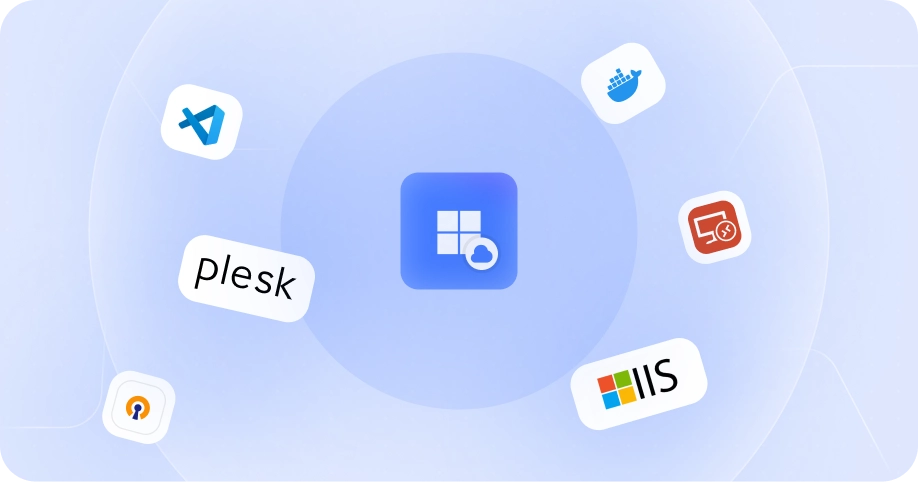
New to Using a Windows RDP?
We've put together a guide to help you get started, covering everything from who a Windows server is suitable for, to the benefits of using an RDP.
Use Cases
When to Use a Free Windows RDP
Running Windows Software on Non-Windows Devices: If you work with Mac or Linux but need software that only runs on Windows, an RDP session gives you a fully functional Windows environment without buying a separate computer.
Keeping Work Off Your Personal Computer: Many people prefer to keep their work and personal life separate. Using a Windows VPS is an easy solution for separating files, applications, and browser sessions by saving them on the server instead of your local machine.
Remote Teams: When remote workers use different devices across various locations, an RDP server gives everyone access to the same setup. Files and applications are stored in one central remote location, ensuring team-wide accessibility.
Heavy Tasks: If you regularly run processes that slow your computer down—such as processing large datasets or long rendering times—running them on VPS hosting keeps your local hardware free for other important work.

Benefits
Benefits of Using Our Free Trial RDP
Free RDP with Admin Access: As soon as you install your VPS server, you have full Windows admin access. You can install any software, change settings, and configure the server in any way you want.
Windows 11 RDP Free to Try: Choose Windows 10 or Windows 11 RDP during your trial period. If you need the latest Windows environment for compatibility testing or to run specific software, you can select it when you sign up and switch at any time. We also offer other Windows versions and custom ISO options.
Windows RDP Hardware: The free Windows RDP trial runs on premium Supermicro and Dell servers with AMD/Intel processors and Samsung NVMe SSDs, allowing you to experience high-performance hosting completely risk-free.
Instant Setup: Your free Windows RDP server is set up automatically, and your connection details arrive by email within a few minutes. You do not need to wait for a manual setup process or contact support to get started.
FAQ About Our Free RDP Trial
We answer all your most frequently asked questions relating to UltaHost’s free RDP trial.
You can pay for your hosting services using PayPal, credit cards, Payoneer, and cryptocurrencies, including Bitcoin and Ethereum. If you’re not happy with our hosting services within the first 30 days, you can request to be refunded to your original payment method.
It’s possible to upgrade your plan at any time you like via the control panel without downtime or needing to contact support.
If you decide to continue using our services after the 30-day trial, your Windows VPS will continue to run without any interruption and your files and settings will remain unchanged. If you choose not to continue, we recommend downloading any files you want to keep.
After making the purchase, your VPS is automatically set up and your details are sent to you by email. Open the Microsoft Remote Desktop app, which is free and available on Windows, macOS, and Linux, enter the IP address and credentials from your email, and you are good to go!
With UltaHost, you have the freedom to upload your own custom IS0 if the Windows options provided do not fit your needs.
Windows Server 2025, Windows Server 2022, Windows Server 2019, Windows 10, and Windows 11 are supported for use. You can choose the Windows version you need at checkout and can switch OS from the control panel, if you need to.
To use UltaHost’s RDP free trial, you will need to pay for the first month upfront. If you’re not happy with the service within 30 days, we will refund your payment in full, no questions asked.
OR
Save 40%