
 English
  Arabic
  Russian
  Dutch
Dutch  French
  German
  Italian
  Portuguese
  Spanish
  Turkish
  Georgian
  Hindi
Hindi  Indonesian
  Polish
  Vietnamese
  Thai
Thai  Korean
  Romanian
  Persian
  Hungarian
  Philippines
  Czech
Czech  Danish
  Norwegian
  Ukrainian
  Chinese
 Ubuntu VPS Hosting - Built for Speed and Control
Launch your Ubuntu VPS in minutes with GUI access, RAM and 1-click app installs on every VPS plan.
Starting at
Get Started Today

Karl’s VPS Running
255.189.85.19 
 Frankfurt Data Center
 Speed
Speed

 Uptime



 Ultrafast VPS
Global Servers 
 4.9 out of 5 based on 2500+ UltaHost Reviews
Affordable Ubuntu VPS Hosting Plans
UltaHost’s managed hosting plans come with dedicated RAM, an easy-to-use control panel, and pre-configured software so that you can launch your website as quickly as possible.
 Linux
Linux Windows
VPS Basic
 Save 40%
 1 CPU Core
 1 GB RAM DDR5
 30 GB NVMe SSD
 Managed Server
 1 IPv4 Dedicated IP
- 4 IPv6 Dedicated IP
 Free SSL Certificate(s)
 Free 30-Days Money-Back
VPS Business
Save 40%- 2 CPU Cores
- 2 GB RAM DDR5
- 50 GB NVMe SSD
- Managed Server
- 1 IPv4 Dedicated IP
 Unlimited Bandwidth
- 6 IPv6 Dedicated IP
 DDoS Protection
VPS Professional
Save 40% 3 CPU Cores
 4 GB RAM DDR5
 75 GB NVMe SSD
 Managed Server
 1 IPv4 Dedicated IP
 Unlimited Bandwidth
- 8 IPv6 Dedicated IP
 DDoS Protection
VPS Enterprise
Save 40%- 4 CPU Cores
- 6 GB RAM DDR5
- 100 GB NVMe SSD
- Managed Server
- 1 IPv4 Dedicated IP
- Unlimited Bandwidth
- 8 IPv6 Dedicated IP
- DDoS Protection

Need More Power for Heavier Workloads? Upgrade to VDS.
If your database, app, or traffic outgrows a VPS, a VDS can provide the necessary resources to maintain performance.
Get More from Your Ubuntu VPS
Whether you're hosting websites, applications, or development environments, our Ubuntu VPS gives you the tools and control to work efficiently.

Run Ubuntu VPS Using GUI or CLI
Use the built-in VNC to access a full remote desktop interface, or access the device directly from the command line.

Reach Customers Worldwide
Reach users wherever they may be using low-latency Ubuntu VPS servers that are located worldwide.
Easily Manage Your Ubuntu VPS
Reboot your server, link a domain, or monitor resource usage, even if you don’t have advanced administration skills.

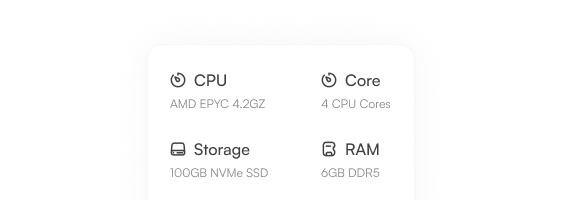
Clear Ubuntu VPS Resource Specs
We list the specifications of the CPU, RAM, and SSD storage that come with each Ubuntu VPS plan for you to view before you buy.
1-Click Install for OS & App Setup
Install WordPress, add Docker containers, set up your development stack with 1-click installers and native kernel compatibility.
 WORDPRESS
 Gitlab
 VS Code
 N8N
N8N Docker
 OpenVPN
 WooCommerce
 Laravel
 Pterodactyl
 Pufferpane
 WP-extendify
 Drupal
 Opencart
 Prestashop
 Nextcloud
 Seafile
 Photoprism
 Jitsi
Jitsi Plex
Plex Owncast
 Wireguard
 Xray
Xray WoWonder
 Playtube
 Portainer
 Grafana
 Ubuntu
 Debian 11
 AlmaLinux 8
 CentOS
 Kali Linux
 RockyLinux 9
 Hestia
 CyberPanel
 cPanel
 Plesk
Plesk ispmanager
 aaPanel
These Features Come Included in Every Plan:
 Team Management
 Unlimited Bandwidth
 Optimized With Advanced Caches
 Automated Backups
 Dedicated Firewalls
- Free Backups
 Free Migration
 24/7 Assistance
 Easy to use
 Free Domain Transfer
- Automated Backups
 Monarx Security
 Staging Environment
 SSH and SFTP Access
 Free SSL Certificate(s)
 30-Days Money-Back
 Auto Healing
 CDN Add-on
 24/7 Real-time Monitoring
 Unlimited Application Installation
 HTTP/2 Enabled Servers
- Regular Security Patching
Advanced Security for Ubuntu VPS
Protect your VPS with advanced firewalls, DDoS protection, anti-malware, and system monitoring. All of these are included as part of our standard package to ensure your server and data are always secure.
 24/7 Security Monitoring
 Malware Detection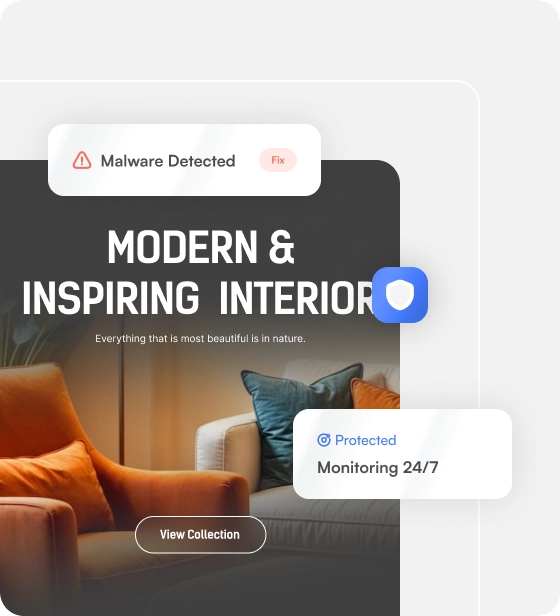

24/7 Expert Support for Your VPS
Our skilled support team is available around the clock to assist you with any issues or requests for your Ubuntu VPS server, ensuring that expert assistance is always on standby whenever you need us.
 Knowledge Base
  Ticket Support
  UltaAI Support
 See What Our Customers Think

After switching to UltaHost’s Ubuntu VPS, we immediately saw a change in the website’s performance, which has remained steady even during traffic spikes. The setup took only a few minutes to complete.

UltaHost is a great hosting provider. My website has been fast since migrating over to them. Their support team was very helpful in setting everything up. I recommend their Ubuntu VPS to anyone who is just starting out!
Managed Ubuntu VPS Features
UltaHost’s managed Ubuntu VPS hosting is built with all the resources and tools your project needs to perform at its best.

NVMe SSD Storage

Integrated Caching

Optimized Software Stack

On-Demand Scaling

99.99% Uptime

Optimized Hardware
Already have a VPS?
Switch to Unlimited Bandwidth at No Cost!
UltaHost vs Other Hosting Companies
Compare UltaHost with the top hosting companies to see how we offer more RAM, faster NVMe drives, and quicker setup for your website.
- Starting From
- Websites
- Disk Space
- RAM DDR5
- Monthly Bandwidth
- Monarx Security
- Snapshots
- Free Backups
- Node.js Socket

- $5.50/mo
- Up to 7
- 30GB NVMe
- 1 GB
- Unmetered

- Unlimited
- GET STARTED MONEY-BACK GUARANTEE

- $15.00/mo
- Unlimited Websites
- 30GB
- 1 GB
- Unmetered
- -
- Paid

- -

- $6.99/mo
- 1 Website
- 150GB
- 1 GB
- Limited
- -
- Paid
- -
- -

- $29.99/mo
- 1 Website
- 30GB
- 2 GB
- Limited
- -
- Paid
- -
- -

- $7.99/mo
- 1 Website
- 20GB NVMe
- 1 GB
- Limited
- -
- Paid
- -
- -
Learn More About Ubuntu VPS Hosting
Read our guide to learn how teams and individuals use managed VPS hosting for Ubuntu without needing advanced server expertise.

USE CASES
When to Use a Managed Ubuntu VPS
VNC Access: Not everyone wants to manage their server via the command line. VNC access gives you a full remote desktop to browse the server, install software, and adjust settings as you would on your local computer.
Application and Framework Deployment: One-click installer scripts make it easy to deploy your Node.js application or framework in minutes with native kernel compatibility to reduce deployment issues.
WordPress and CMS Hosting: Your CMS will run on dedicated resources rather than sharing hosting resources with other website accounts. This will give your website faster loading times.
Server Administration: Rebooting servers, linking domains to websites, and monitoring memory usage can all be done from a single control panel without requiring advanced administration skills.
Resource-Heavy Workloads: Applications that require a lot of resources will require memory that they can rely on. By assigning dedicated RAM to these applications, the processes will not slow down or crash due to insufficient memory.
Secure Remote Access: Secure network tunneling allows developers and administrators to securely access the server without leaving the production or staging environment exposed.

BENEFITS
Benefits of Managed Ubuntu VPS Hosting
Easy Server Management: The control panel allows site owners to reboot their servers, link domains to them, and monitor their resources without having to know much about server administration.
Easy Payment & Fast Onboarding: Choose from various payment options, including crypto payments. Your server will be provisioned right after your purchase, without delays.
Guaranteed Resources: Each plan comes with dedicated resources to ensure your applications run at a consistent speed and will not lose performance to other applications on the same server.
One-Click App Installation: UltaHost’s 1-click installer reduces the configuration usually required when setting up new software for developers and administrators.
CMS and Dev Stacks: WordPress and common development frameworks are supported at the software level so they can be used without any need for a complicated setup.
Room to Grow: Add more RAM and resources to your server directly from the control panel when your project expands, without needing to migrate to a new provider.
Ubuntu VPS FAQ
Get the answers to our most commonly asked questions about Ubuntu VPS. If you can’t find the information you need, you can reach out to us or get instant answers with UltaAI support.
To provide you with the greatest degree of flexibility, we allow you to buy Ubuntu VPS instances with crypto payments. We accept all major virtual currencies along with other traditional payment methods such as credit or debit card.
Unlike shared networks, your Virtual Server instances are allocated dedicated RAM blocks. If your server crashes while performing builds of software, you can quickly allocate an internal Linux swap partition or upgrade the memory allocation.
You can manually update the nameservers for your domain to point to our infrastructure, or update the DNS zones within the management dashboard for your hosting account. Our platform makes it easy to route your domain to your hosting space.
You can reboot your server instance via command line. Alternatively, you can manage your system hardware cycles instantly using the quick-action power buttons in your account dashboard.
All virtual machines come with root access and kernel compatibility to allow Docker, Docker Compose, and any other container technologies to be installed and run without limitations from us.
While the standard installation comes with a lightweight CLI interface to maximize processing speeds for your server, you can also install an automated Ubuntu VPS GUI that comes with VNC and RDP templates for easy management of your remote server.
You can connect to your Ubuntu VPS from a Windows machine through SSH access using either the command prompt or tools like PuTTY. Just enter the root IP address and credentials of your Ubuntu VPS server. Alternatively, you can deploy a remote desktop tool from the control panel to access your VPS.
OR
Save 40%